

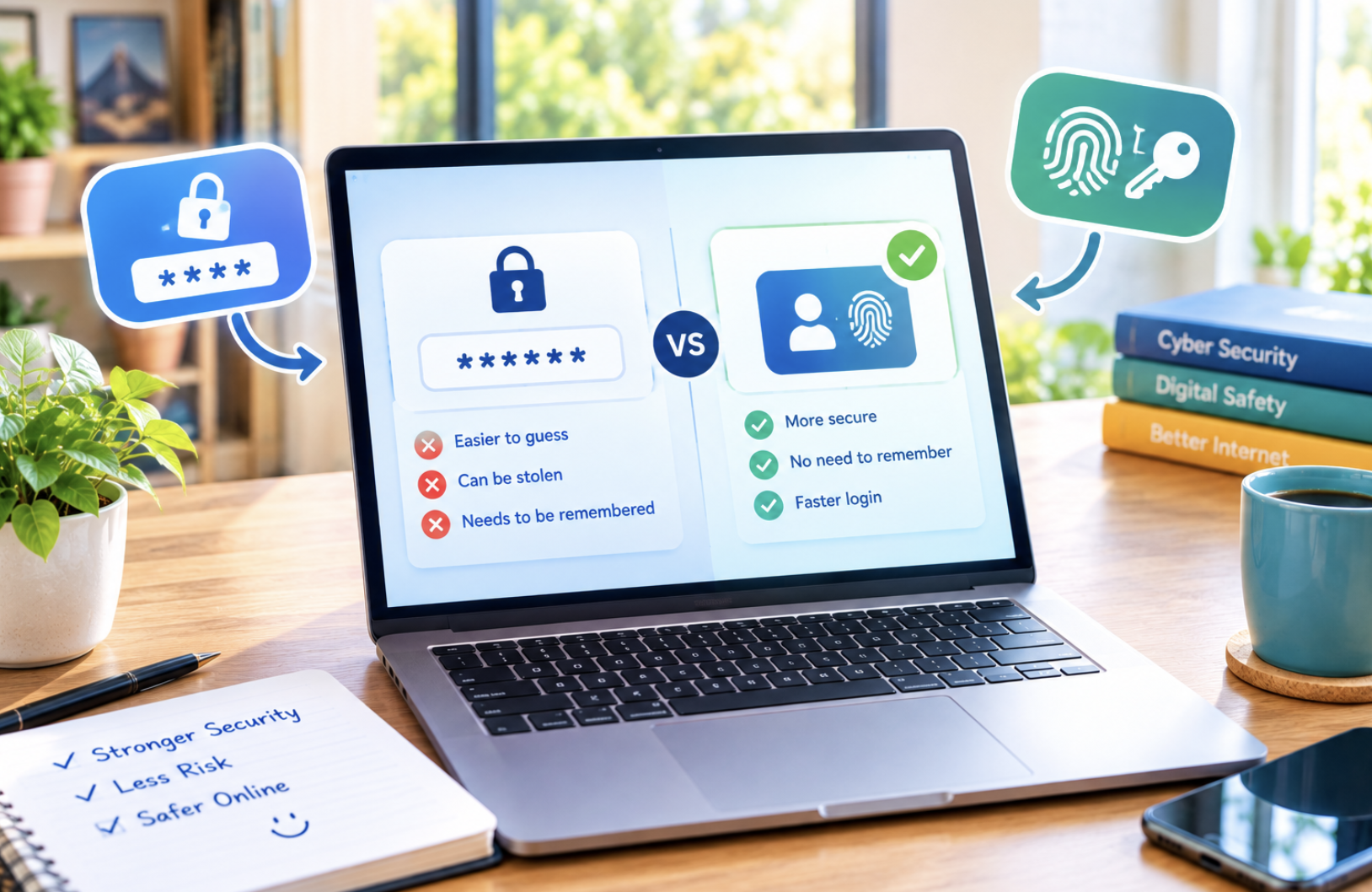
A man trying to log into his bank app during a busy commute fumbled through three failed password attempts before giving up and waiting until he got home. His teenage daughter, using the same app on her new phone, unlocked it with a glance and was checking her balance within two seconds. She had passkeys enabled; he was still using a password he’d reused across a dozen accounts for years. This comparison breaks down how passkeys differ from passwords and whether it’s worth making the switch.
How a Password-Based Login Works
A traditional password login relies on a shared secret: the user creates a string of characters, the service stores a version of it (ideally hashed), and every login compares what’s typed against that stored value. This system’s core weakness is that the secret has to be transmitted and compared, creating opportunities for interception, phishing, and database breaches that expose stored credentials to attackers.
- Passwords can be guessed, phished, or stolen through data breaches
- Password reuse across sites means one breach can compromise many accounts
- Remembering strong, unique passwords for dozens of services is difficult
- Password managers help but add a dependency most users never fully embrace
How Passkeys Replace the Shared Secret Entirely
Passkeys use public-key cryptography instead of a shared secret. When a user creates a passkey, their device generates a matching pair of cryptographic keys: a private key that never leaves the device and a public key sent to the service. Logging in means the device proves it holds the private key, typically through a fingerprint, face scan, or device PIN, without ever transmitting anything an attacker could steal and reuse elsewhere.
Why Passkeys Resist Phishing in Ways Passwords Cannot
- A passkey is cryptographically bound to the specific website it was created for
- A fake, look-alike phishing site simply cannot request or receive a valid passkey response
- Passwords can be typed into any site, including a convincing fake one
- This structural difference eliminates an entire category of attack passwords remain vulnerable to
What Happens When You Lose Your Device
Losing a phone or laptop that holds a passkey raises a natural concern, but most implementations sync passkeys securely across a user’s devices through their existing cloud account, meaning a new device signed into the same account regains access to stored passkeys. Services typically also offer backup authentication methods for the rare case where sync isn’t available, avoiding permanent lockout.
Which Major Services Currently Support Passkeys
Major technology companies including Google, Apple, and Microsoft have implemented passkey support across their platforms, and a growing number of banks, social media platforms, and e-commerce sites have added the option as well. Adoption varies by industry, with technology and finance leading the way while many smaller services still rely exclusively on traditional passwords.
The Remaining Friction Points Users Encounter
- Not every website supports passkeys yet, so some password use remains unavoidable for now
- Switching between different device ecosystems can complicate syncing in some cases
- Older devices without biometric hardware may not support passkey creation
- Users unfamiliar with the concept sometimes find the initial setup confusing
Should You Switch to Passkeys Now
For any service that offers the option, switching to a passkey removes a meaningful category of risk with almost no added inconvenience once set up, making the switch worthwhile wherever it’s available. A fully passwordless future remains some way off given how many services still depend entirely on traditional login systems, but adopting passkeys wherever possible today reduces personal exposure to phishing and credential theft in the meantime.
How Passkeys Handle Shared or Family Accounts
Some households share access to certain accounts, like a streaming service or a joint utility account, and passkeys handle this scenario somewhat differently from a shared password that’s simply typed on multiple devices. Most implementations allow a passkey to be created on each family member’s own device separately, or in some cases shared securely through a password manager designed to handle passkey sharing, rather than distributing a single password everyone memorises and types independently.
Why Enterprise Adoption of Passkeys Has Moved More Slowly
Businesses managing large numbers of employee accounts have adopted passkeys more cautiously than individual consumers, partly due to the complexity of managing device-bound credentials across an organisation with varying device policies, and partly due to legacy systems that weren’t built with passkey support in mind. Enterprise identity providers have gradually added more robust support for managing passkeys at scale, but full enterprise migration away from passwords remains a longer-term project for most large organisations.
The Broader Push Toward a Passwordless Future
Passkeys represent one part of a broader industry effort to eliminate passwords entirely, driven by consistent evidence that passwords remain one of the most common entry points for security breaches across both individual accounts and large organisations. Major technology companies have coordinated through industry alliances specifically to establish common passkey standards, aiming to prevent the kind of fragmented, incompatible implementations that slowed adoption of earlier passwordless authentication attempts.
How Passkeys Interact With Older, Legacy Systems
Many organisations still run older internal systems built decades ago, long before passkey standards existed, and integrating modern passwordless authentication with this legacy infrastructure often requires additional middleware or a phased migration approach rather than a simple, immediate switch. This technical debt explains why some services, despite interest in adopting passkeys, continue operating on password-based systems while planning longer-term modernisation efforts.
Comparing Passkeys to Other Passwordless Approaches
Passkeys aren’t the only passwordless authentication approach that has emerged in recent years; magic links sent by email and one-time codes sent by text message have also gained popularity as alternatives to traditional passwords. Passkeys generally offer stronger security than these alternatives, since they rely on cryptographic proof rather than a code or link that could potentially be intercepted, though magic links and text codes remain easier for some services to implement quickly across existing infrastructure.
How Biometric Data Underlying Passkeys Stays Protected
A common misconception about passkeys is that biometric data, like a fingerprint or face scan, gets sent to the service being logged into, when in reality this biometric information never leaves the local device and serves purely to unlock the locally stored private key. This distinction matters for privacy, since it means a service adopting passkeys never receives or stores a user’s biometric data at all, only the public key generated during enrolment.
What Businesses Should Consider Before Implementing Passkeys
Businesses considering passkey implementation need to weigh development effort against expected security and user experience benefits, for services where account takeover fraud has been a persistent, costly problem. Many businesses start by offering passkeys as an optional alternative alongside traditional passwords, gradually encouraging adoption, rather than immediately forcing every user through a potentially unfamiliar new login method that could increase support requests in the short term.
How Passkey Standards Are Governed Across the Industry
Passkeys rely on standards developed collaboratively through an industry alliance including major technology companies, ensuring different manufacturers’ devices and browsers can interoperate rather than each building incompatible, proprietary passwordless systems. This collaborative standards approach has been important for driving broad adoption, since a fragmented ecosystem of competing, incompatible passwordless standards would have slowed the technology’s practical usefulness for everyday consumers switching between different devices and services.
Real-World Adoption Numbers and Growth Trends
Adoption tracking shows passkey usage growing steadily since major platforms began rolling out support, though growth has been gradual rather than an immediate, sweeping replacement of passwords across the internet. Industry surveys suggest a meaningful percentage of users who try passkeys once continue using them for that specific service going forward, suggesting that the primary barrier to wider adoption remains awareness and initial setup friction rather than dissatisfaction with the experience itself.
How Passkeys Fit Into a Broader Personal Security Strategy
Even as passkeys spread, users should treat them as one part of a broader personal security strategy rather than a complete solution addressing every digital security risk they face. Continuing to use a reputable password manager for services that haven’t yet adopted passkeys, enabling additional security features where available, and staying alert to phishing attempts targeting other aspects of an online identity all remain important even as passkey adoption continues expanding across more services.
How Cross-Device Ecosystems Complicate Passkey Portability
Users who mix devices from different manufacturers, such as an Android phone alongside a Windows laptop, sometimes encounter friction when a passkey created within one company’s ecosystem doesn’t sync automatically to a device outside that ecosystem. Cross-platform passkey syncing has improved as manufacturers work toward better interoperability, but users navigating a mixed-device household should verify passkey syncing works as expected across their specific combination of devices before relying on it exclusively for critical accounts.
Why Some Security Experts Still Recommend a Layered Approach
Even strong security professionals who champion passkey adoption generally still recommend a layered approach to account security, including monitoring for suspicious account activity and maintaining updated recovery information, since no single authentication method eliminates every possible attack vector entirely. This layered mindset reflects a broader security principle that no individual technology, however strong, should be treated as a complete, standalone defence against every possible threat a determined attacker might attempt.
What Smaller Businesses Should Know Before Adopting Passkeys
Smaller businesses without dedicated security teams sometimes assume passkey implementation requires resources beyond their reach, but many identity and authentication platforms now offer relatively straightforward passkey integration options designed specifically for businesses without deep in-house technical expertise. Exploring these more accessible implementation options can let smaller businesses offer improved account security without the extensive custom development that early passkey adopters often required.
How Passkey Recovery Options Balance Security and Convenience
Designing a recovery process for a lost passkey involves a tension between security and convenience, since a recovery method that’s too easy risks becoming an attack vector itself, while one that’s too restrictive risks permanently locking legitimate users out of important accounts. Most major implementations address this by tying recovery to a user’s broader account ecosystem, such as verifying through a trusted email address or an already-authenticated secondary device, rather than a single simple fallback that could be easily exploited.
Why Some Users Remain Hesitant Despite the Security Benefits
Despite passkeys’ clear security advantages, some users remain hesitant to adopt them, often due to unfamiliarity with the underlying concept or lingering concerns about being locked out of accounts if something goes wrong with their primary device. Addressing this hesitation typically requires clearer user education about how recovery works, since much of the reluctance stems from a misunderstanding of the safeguards already built into most passkey implementations rather than a, well-founded technical limitation.
How Government Digital Identity Programmes Intersect With Passkeys
Several governments have begun exploring digital identity programmes that could eventually integrate with passkey-style authentication, potentially allowing citizens to use a single, secure digital identity for both government services and private sector logins. This intersection between government digital identity initiatives and commercial passkey adoption remains at an early, exploratory stage in most countries, but it points toward a possible future where passwordless authentication extends well beyond individual consumer services into broader civic infrastructure.
How Passkey Adoption Differs Between Consumer and Government Services
Consumer technology companies have generally moved faster on passkey adoption than government services, which often operate on older, more rigid technical infrastructure and face additional regulatory and accessibility requirements before rolling out new authentication methods to the public. This gap means citizens may find passkeys readily available for banking and social media accounts well before their own government’s online services offer the same convenient, more secure option.
Why Password Managers Still Play a Role in a Passkey World
Even as passkeys grow more common, password managers continue playing an important role by storing passkeys themselves alongside remaining passwords, providing a unified place to manage authentication credentials across a mixed environment where some services support passkeys and others still require traditional passwords. This transitional role likely continues for years, given how gradually full passkey adoption is expected to spread across the entire, highly fragmented online services landscape.
A Quick Note on Passkeys and Public or Shared Computers
Using a passkey on a public or shared computer works differently than on a personal device, often requiring a temporary cross-device authentication flow, such as scanning a QR code with a personal phone, rather than storing the passkey directly on the shared machine, which helps avoid leaving sensitive credentials behind on hardware the user doesn’t control.
A Quick Note on Passkeys and Regulatory Compliance Requirements
Certain regulated industries, including finance and healthcare, must ensure any new authentication method meets specific regulatory compliance standards, and passkey adoption within these sectors has generally required additional validation work to confirm the technology satisfies existing regulatory frameworks originally written with password-based authentication in mind.
A Quick Note on Passkeys for Aging or Less Technical Users
Some older or less technically confident users find the concept of passkeys initially confusing despite the simple, familiar biometric interaction involved, suggesting that clear, patient onboarding guidance from services adopting passkeys matters as much as the underlying technology itself for achieving broad adoption across all age groups.
Final Thoughts
Passkeys address the structural weaknesses that have made passwords a persistent security liability for decades, replacing a shared secret vulnerable to phishing and breaches with device-based cryptographic proof. As more services add support, users who switch wherever possible stand to gain a more secure and more convenient login experience than passwords have ever reliably provided.
Frequently Asked Questions
1. Can someone steal a passkey the way they can steal a password?
No, a passkey’s private key never leaves the device it was created on, so there’s no shared secret in transit or in a server database that could be stolen and reused elsewhere.
2. Do passkeys work without an internet connection?
Creating and using a passkey generally still requires connecting to the relevant service to verify identity, so a passkey doesn’t function as a fully offline authentication method.
3. What happens if a website doesn’t support passkeys yet?
Users simply continue using a traditional password for that specific site until support is added, since passkeys and passwords can coexist across different services without conflict.
4. Are passkeys the same as two-factor authentication?
No, a passkey replaces the password itself as the primary authentication method, while two-factor authentication adds an extra verification step on top of an existing password.
5. Can a passkey be used across different browsers on the same device?
This depends on how the operating system and browser handle passkey storage, though most modern implementations increasingly support sharing passkeys across browsers on the same device.
6. Is setting up a passkey difficult for less technical users?
The setup process typically takes under a minute and relies on the same fingerprint or face recognition many users already use to unlock their device, making it simpler than creating a strong password.