

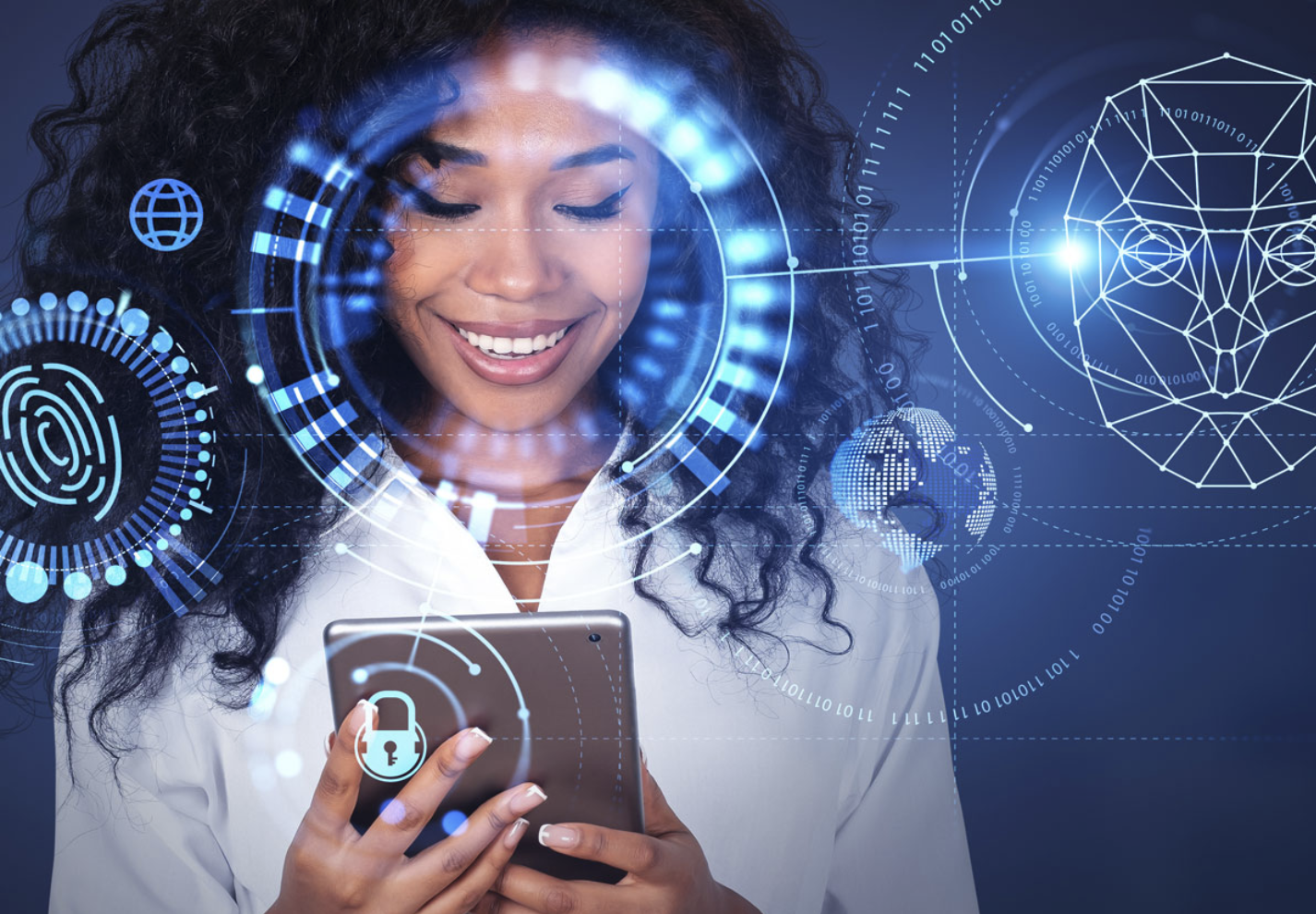
You probably use biometric authentication more often than you realize.
Maybe you unlock your phone with your face. Perhaps you use your fingerprint to access an app, approve a payment, or sign into an account. Some workplaces and airports also use biometric technology to verify people’s identities.
These systems are becoming an increasingly common part of digital security because they allow you to prove who you are using something connected to your body.
But what exactly is biometric authentication, and how does it work?
In simple terms, biometric authentication is a security method that verifies your identity using a distinctive physical or behavioral characteristic. Instead of relying only on a password, the system can use information such as your fingerprint, face, voice, or other biometric characteristics to determine whether you are the authorized user.
That sounds straightforward, but there is quite a lot happening behind the scenes.
What Is Biometric Authentication?
Biometric authentication is a process that uses biological or behavioral characteristics to verify someone’s identity.
Traditional authentication usually relies on something you know, such as:
- A password
- A PIN
- A security question
Other authentication methods rely on something you have, such as:
- A smartphone
- A security key
- An access card
Biometric authentication is different because it relies on something you are.
Common biometric characteristics include:
- Fingerprints
- Facial features
- Voice characteristics
- Iris patterns
- Palm or hand characteristics
The technology captures information from one of these characteristics and compares it with previously enrolled biometric data.
If the system determines that the new sample sufficiently matches the stored reference, access can be granted.
How Does Biometric Authentication Work?
Although the exact technology differs between systems, biometric authentication generally follows a few basic stages.
1. Enrollment
First, you need to register your biometric information with the system.
For example, when setting up fingerprint authentication on a smartphone, the device asks you to place your finger on its sensor several times.
The system collects information about your fingerprint and creates a mathematical representation that can later be used for comparison.
2. Biometric Capture
When you attempt to authenticate, a sensor captures a new sample.
A camera may capture your face, while a fingerprint sensor can scan characteristics of your finger.
3. Processing
The system processes the captured information and extracts relevant characteristics.
It doesn’t necessarily store a simple photograph of your face or a normal picture of your fingerprint.
Instead, biometric systems commonly use mathematical representations or templates designed for comparison.
4. Matching
The newly captured sample is compared against the reference created during enrollment.
The system calculates whether the samples are sufficiently similar according to its matching rules.
5. Authentication Decision
Finally, the system decides whether the authentication attempt should be accepted or rejected.
If the similarity meets the required threshold, you may be allowed to unlock the device or access the service.
What Types of Biometric Authentication Are Common?
Biometric technology comes in several forms.
Fingerprint Recognition
Fingerprint authentication is one of the most familiar forms of biometrics.
A sensor captures characteristics of your fingerprint and compares them with an enrolled reference.
Fingerprint authentication is widely used because fingerprints have distinctive patterns and sensors can be integrated into relatively small devices.
Facial Recognition
Facial recognition uses a camera or specialized sensor to analyze characteristics of your face.
Depending on the system, it may examine things such as the relationship between facial features, contours, depth information, or other characteristics.
Modern devices can use facial recognition as a convenient way to unlock a phone or authenticate certain actions.
Iris Recognition
Iris recognition examines patterns in the colored part of the eye.
The iris contains detailed patterns that can be used for biometric identification or authentication.
This technology is less common in everyday consumer devices but can be used in specialized environments.
Voice Recognition
Voice-based biometric systems analyze characteristics of a person’s voice.
These systems may examine factors such as vocal patterns and other measurable characteristics.
Voice authentication can be convenient, but environmental noise, microphones, illness, and other factors can affect performance.
Behavioral Biometrics
Not all biometrics are physical.
Behavioral biometrics can analyze patterns such as typing behavior, how someone interacts with a device, or other recurring behavioral characteristics.
These systems can sometimes work in the background rather than requiring a deliberate fingerprint scan or face scan.
Biometric Authentication vs Biometric Identification
These two terms are related but have different meanings.
Biometric authentication generally asks:
“Are you the person you claim to be?”
For example, you enter your username and then use your fingerprint to confirm that you are the account owner.
Biometric identification asks a different question:
“Who is this person?”
The system may compare a biometric sample against multiple records to determine whose biometric characteristics it most closely match.
This distinction is important because authentication and identification can involve different technical and privacy considerations.
Why Is Biometric Authentication Becoming Popular?
Convenience is one of the biggest reasons.
Passwords can be forgotten, reused, stolen, or exposed through phishing attacks.
With biometrics, you don’t have to remember a complicated sequence of characters every time you unlock a device.
A fingerprint or face scan can take only a moment.
Biometrics can also make certain authentication processes feel more natural.
Instead of typing a password, you simply use the device.
However, convenience isn’t the only reason organizations use biometrics.
Biometric authentication can also be combined with other security measures to create stronger authentication systems.
What Are the Benefits of Biometric Authentication?
Biometric authentication offers several potential advantages.
Convenience
You don’t have to memorize another password.
A quick fingerprint or facial scan can authenticate you.
Speed
Many biometric systems can verify a user very quickly.
This is particularly useful when authentication happens frequently.
Difficult to Share
Unlike a password, your fingerprint or face isn’t something you can simply send to another person as a string of characters.
That doesn’t make biometrics impossible to compromise, but it changes the security problem.
Can Work With Other Authentication Methods
Biometrics can be combined with passwords, PINs, security keys, or other authentication factors.
This can provide stronger protection than relying on one method alone.
Reduced Password Dependence
Biometrics can reduce the number of situations where you need to type passwords, potentially lowering exposure to certain password-related attacks.
What Are the Risks of Biometric Authentication?
Biometric authentication also has important limitations.
One of the biggest concerns is that biometric information is fundamentally different from a password.
If a password is compromised, you can change it.
You cannot simply replace your fingerprint or face in the same way.
That means organizations need to handle biometric information carefully.
Privacy Concerns
Biometric information is highly personal.
You may want to know:
- What information is collected?
- Where is it stored?
- Who can access it?
- How long is it retained?
- Can it be deleted?
- Is it shared with third parties?
These questions are especially important when biometric systems are used by companies, governments, employers, or other organizations.
False Matches
A biometric system isn’t perfect.
Sometimes it can incorrectly accept an unauthorized person.
This situation is referred to as a false match or false acceptance, where the system incorrectly recognizes an unauthorized user as legitimate.
False Rejections
The opposite can also happen.
The system may fail to recognize the legitimate user.
This can happen because of changes in lighting, sensor conditions, positioning, environmental factors, or other circumstances.
Spoofing Attempts
Attackers may attempt to trick biometric systems using artificial or manipulated biometric samples.
Modern systems use different techniques to detect attempts to fool sensors, but no security technology should be treated as completely immune to attack.
Is Biometric Authentication More Secure Than Passwords?
There isn’t a simple yes-or-no answer.
Biometrics can provide strong security and excellent convenience, but their effectiveness depends on how the entire authentication system is designed.
A biometric system with strong sensors, secure processing, appropriate privacy protections, and additional security controls can be highly effective.
However, biometrics should not be viewed as a magical replacement for every other security measure.
For important accounts, a combination of authentication factors can provide stronger protection.
For example, a system might combine something you have with something you are.
The best approach depends on the specific device, service, threat model, and implementation.
How Are Biometric Data Stored?
This is one of the most important questions to ask when using biometric authentication.
Many modern systems are designed so that biometric information is processed locally on the device or stored in a protected security component rather than being sent as a normal image to a remote server.
However, the exact approach varies between products and services.
Some organizations may maintain centralized biometric databases.
Others may keep biometric processing on a user’s device.
Therefore, don’t assume that every biometric system handles your data in the same way.
If privacy matters to you, check the provider’s documentation and privacy policy to understand what happens to your biometric information.
Can Someone Steal Your Biometric Information?
Biometric information can potentially be compromised, depending on how it is collected, stored, transmitted, and protected.
However, stealing biometric information isn’t necessarily the same as stealing a usable copy of someone’s fingerprint or face.
Many systems use templates or mathematical representations rather than storing raw biometric images for authentication.
The security of those representations depends heavily on the system’s implementation.
This is why the technology behind biometric authentication matters just as much as the biometric characteristic itself.
Where Is Biometric Authentication Used?
You can find biometric authentication across many areas of modern technology.
Smartphones
Fingerprint and facial authentication are common on modern smartphones.
Banking and Finance
Financial services may use biometric verification as part of account access, transaction approval, or identity verification.
Workplaces
Organizations can use biometrics for physical access control, timekeeping, or other authentication purposes.
Airports and Travel
Biometric systems can be used in identity verification and certain airport processes.
Healthcare
Healthcare organizations may use biometric technologies for identity verification and access control, depending on local requirements and system design.
Online Services
Some digital services use biometric authentication as one part of a passwordless or multi-factor authentication system.
Are Biometrics the Future of Passwordless Login?
Biometrics are an important part of the broader move toward passwordless authentication.
The goal of passwordless systems is to reduce or eliminate traditional passwords by using stronger and more convenient authentication methods.
Biometrics can work alongside technologies such as passkeys and security keys.
For example, your device may use your fingerprint or face to unlock a locally stored credential, while the underlying authentication mechanism uses cryptographic technology.
This approach can provide a smoother login experience without requiring you to type a password every time.
However, the biometric itself doesn’t necessarily have to be sent to the website you’re accessing.
In many modern authentication designs, the biometric check simply helps your device authorize the use of a cryptographic credential.
How to Use Biometric Authentication Safely
For devices or accounts that utilize biometric login methods, there are several effective measures you can implement to enhance your security and protect your information.
Keep Your Device Updated
Install security and software updates when they become available.
Updates can address vulnerabilities and improve the reliability of security features.
Use a Strong Backup Method
Most biometric systems have a backup PIN, password, or passcode.
Use a strong one because it may provide an alternative route into the device.
Understand the Privacy Settings
Check how the device or service handles biometric information.
Look for information about local processing, storage, sharing, and deletion.
Don’t Assume Biometrics Replace Everything
For sensitive accounts, consider using additional security protections such as multi-factor authentication or passkeys when available.
Be Careful With Unfamiliar Biometric Services
Before providing biometric information to an unfamiliar company or website, investigate why it needs the information and how it plans to protect it.
What Does the Future of Biometric Authentication Look Like?
Biometric authentication is likely to remain an important part of digital security.
As devices become more sophisticated, biometric systems may become faster and better at distinguishing genuine users from fraudulent attempts.
We may also see greater integration between biometrics and passwordless authentication.
Instead of thinking about a fingerprint or face scan as the entire authentication system, you may increasingly use biometrics as a local way to unlock a secure credential stored on your device.
At the same time, privacy and security questions will become increasingly important.
The more widely biometric technology is used, the more important it becomes to establish responsible practices for collecting, storing, processing, and protecting biometric information.
Final Thoughts
Biometric authentication gives you a way to verify your identity using characteristics associated with you, such as your fingerprint, face, iris, or voice.
The technology works by capturing a biometric sample, processing its relevant characteristics, comparing it with an enrolled reference, and deciding whether the match is sufficient.
Its biggest advantages are convenience and speed. You don’t have to remember another password, and authentication can happen almost instantly.
However, biometrics also introduce important privacy and security considerations. Unlike a password, a biometric characteristic cannot simply be replaced if compromised.
That’s why the strongest approach isn’t to treat biometrics as a perfect security solution.
Instead, think of them as one part of a broader authentication strategy.
When biometric technology is combined with secure hardware, strong authentication standards, privacy protections, software updates, and sensible security practices, it can provide a convenient and powerful way to protect your digital accounts and devices.
Frequently Asked Questions
1. What is biometric authentication in simple words?
Biometric authentication is a security method that verifies your identity using a physical or behavioral characteristic, such as your fingerprint, face, iris, or voice.
2. What are the most common types of biometric authentication?
The most common types include fingerprint recognition, facial recognition, iris recognition, voice recognition, and certain forms of behavioral biometrics.
3. Is biometric authentication safe?
Biometric authentication can be highly secure when implemented correctly, but it isn’t completely risk-free. Privacy, spoofing, false matches, data protection, and system vulnerabilities are important considerations.
4. Can biometric data be hacked?
Biometric systems can potentially be targeted by attackers. The actual risk depends on how biometric information is collected, processed, stored, and protected. Some systems use protected templates or local processing instead of storing raw biometric images.
5. Is facial recognition better than fingerprint authentication?
Neither is universally better. Both technologies have different strengths and limitations. Their effectiveness depends on the hardware, software, environment, security design, and how the biometric system is implemented.
6. Can biometric authentication replace passwords?
Biometrics can support passwordless authentication, but whether they completely replace passwords depends on the specific system. Modern approaches can combine biometrics with technologies such as passkeys and cryptographic credentials for secure, convenient login.