

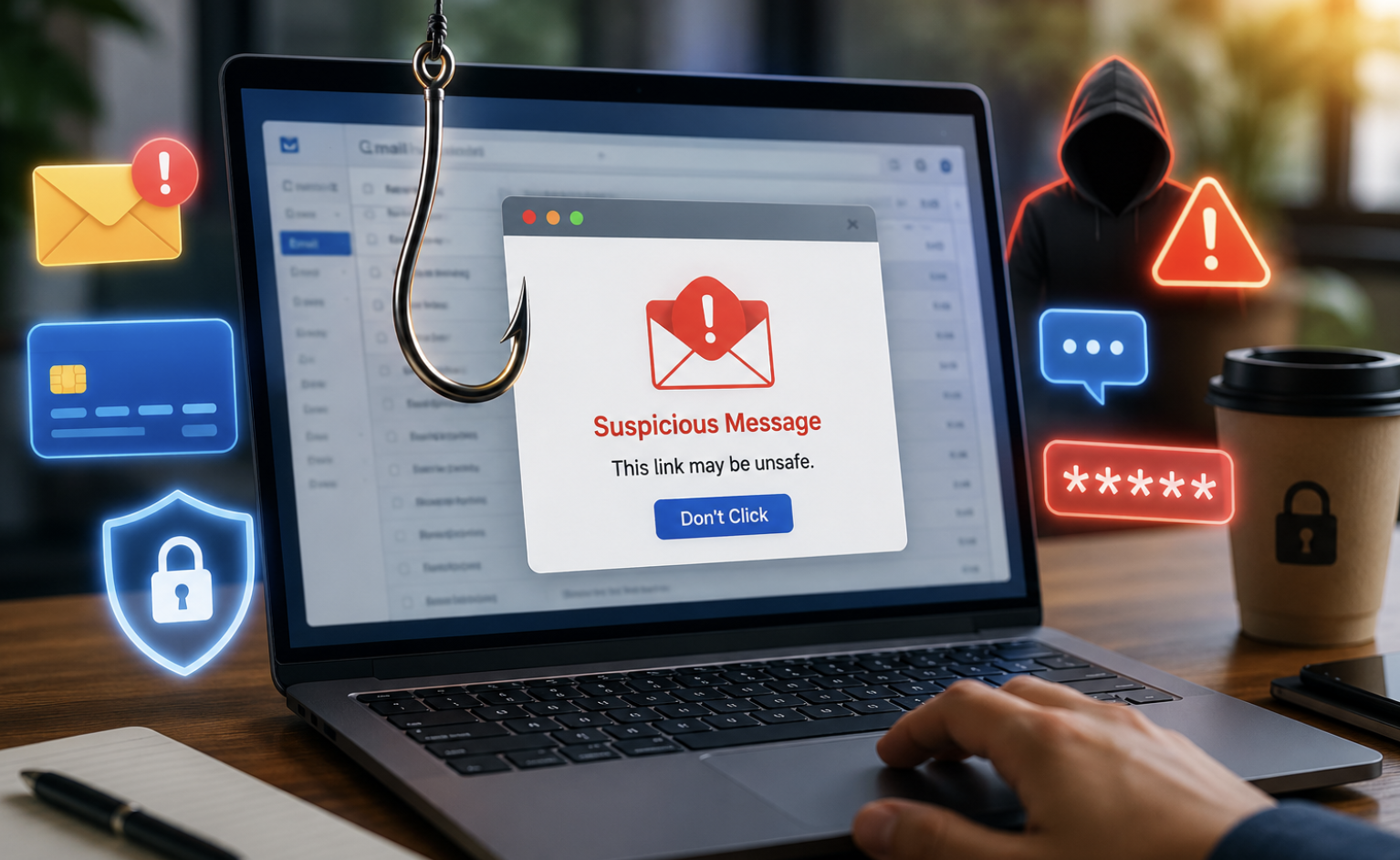
Imagine checking your phone and seeing a message from your bank. It warns that your account will close within minutes. A link promises an instant solution. You click, enter your password, and continue your day. Unfortunately, that simple action could hand your account to a cybercriminal. This is the danger of a phishing attack. Phishing scams have become more convincing, targeted, and difficult to recognize. Attackers now imitate banks, employers, delivery services, social platforms, and government organizations.
Moreover, artificial intelligence can help criminals create polished messages with fewer obvious mistakes. However, phishing still depends on one powerful weakness: human trust.
Understanding how these attacks operate can help you recognize danger before making a costly mistake. More importantly, simple security habits can significantly reduce your exposure.
What Is a Phishing Attack?
A phishing attack is a deceptive attempt to steal information or manipulate someone. Attackers commonly request passwords, payment details, verification codes, or personal information. They may also persuade victims to open harmful files or visit fraudulent websites. Usually, the attacker impersonates someone trustworthy.
For example, a fake email may appear to come from your bank. It might warn about unusual account activity. The message then provides a link for verification.
That link could lead to a fraudulent website resembling the legitimate banking portal. Once you enter your credentials, criminals may receive them immediately. Therefore, phishing focuses heavily on deception rather than sophisticated technical intrusion.
How a Phishing Attack Typically Happens
Most phishing campaigns follow a recognizable sequence. First, criminals identify a target or large group of potential victims. Next, they create a convincing message that resembles legitimate communication. Then, they introduce urgency, fear, curiosity, or an attractive reward.
Afterward, they provide an action for the recipient. That action might involve clicking a link, opening an attachment, calling a number, or sending information.
Finally, attackers attempt to exploit whatever information or access they obtain. Consequently, recognizing the attack early can stop the entire chain.
Common Types of Phishing Attacks
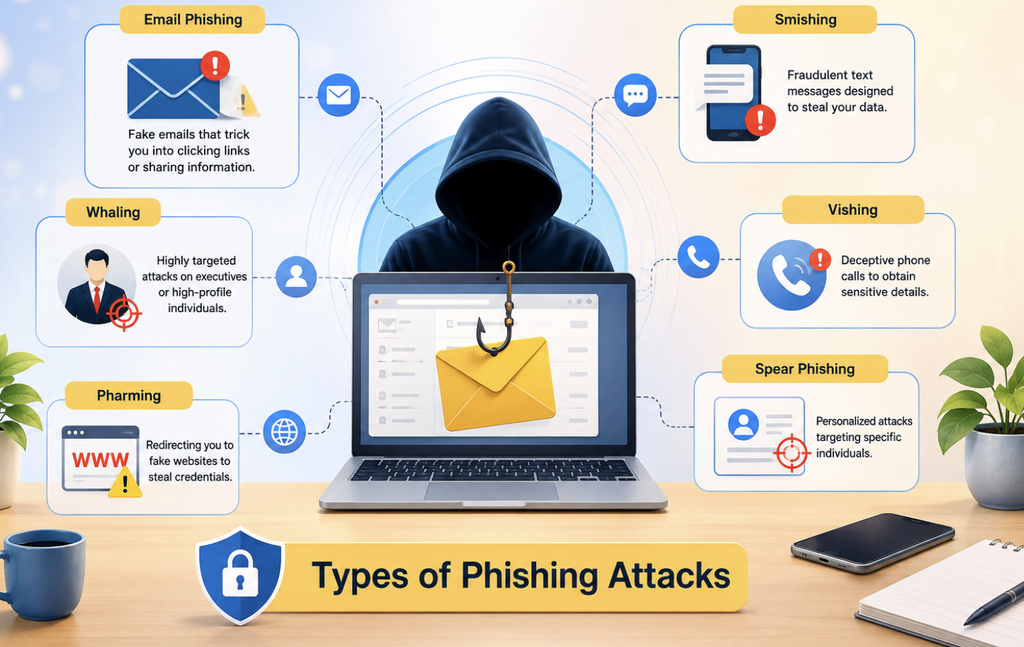
Phishing can appear across almost every communication platform.
Email Phishing
Email phishing remains one of the most familiar forms. Criminals may imitate banks, retailers, employers, streaming platforms, or technology companies. The email often contains a link, attachment, or urgent request.
Smishing Attacks
Smishing means phishing through text messages. For instance, criminals may impersonate delivery companies and request a small payment. They may also send fake security alerts or account notifications. Because people often trust text messages, these scams can be surprisingly effective.
Vishing Scams
Vishing uses phone calls to manipulate victims. The caller may pretend to represent a bank, support department, government agency, or business. They might request verification codes, passwords, or payment information. Therefore, never assume a caller is genuine simply because they know some personal details.
Spear Phishing
Spear phishing targets specific individuals. Attackers may research their victims before creating the message. Consequently, the communication can appear highly personal and believable. Employees, executives, freelancers, and business owners can become attractive targets.
Whaling Attacks
Whaling is a highly targeted form of phishing aimed at senior executives or influential employees. Attackers often seek financial transfers, confidential documents, or privileged account access. Because executives can authorize important actions, successful attacks can cause significant damage.
Pharming
Pharming redirects users toward fraudulent websites. Unlike traditional phishing, the victim may not always reach the fake destination through a suspicious message. Therefore, maintaining secure browsing habits remains important.
The Biggest Warning Signs of Phishing
Phishing messages can look professional, especially today. Therefore, examine the entire situation instead of relying on spelling mistakes.
Unexpected Urgency
Scammers frequently create pressure. They may claim that your account will close, payment will fail, or access will disappear. However, legitimate organizations usually provide safer ways to verify important requests. Pause before acting whenever a message creates unusual pressure.
Suspicious Website Addresses
Look carefully at the website address. Fraudulent domains can contain additional words, unusual characters, or misleading spellings. Furthermore, attackers sometimes use domains that visually resemble legitimate addresses. Never rely solely on a familiar logo or website design.
Requests for Passwords or Codes
Unexpected requests for passwords deserve immediate suspicion. Verification codes also require special caution. A criminal may already know your password and only need your authentication code. Therefore, never share security codes with unexpected callers or messages.
Unexpected Attachments
Attachments can introduce serious security risks. An attacker might disguise malware as an invoice, resume, receipt, or document. If you were not expecting the file, verify the sender independently before opening it.
Unusual Payment Requests
Be especially careful when someone requests gift cards, cryptocurrency, wire transfers, or unusual payments. Scammers often create emergencies to discourage careful verification. Consequently, confirm payment requests through another trusted communication channel.
Why Phishing Scams Are So Effective
Phishing succeeds because criminals exploit human psychology. They understand that people naturally react to fear, urgency, curiosity, and rewards. A message about suspicious banking activity can trigger immediate concern. Likewise, an unexpected refund can create excitement. Attackers then use those emotions to shorten the victim’s decision-making process.
Therefore, the strongest defense begins with one simple habit. Pause before you act. That short pause gives you time to question the message and verify its legitimacy.
How to Avoid Phishing Attacks
You can reduce phishing risks without becoming a cybersecurity expert.
Verify Messages Independently
Never depend entirely on the contact information inside a suspicious message. Instead, open the organization’s official website manually. You can also use its official application or verified customer service channel. This approach removes the attacker’s preferred path.
Use Multi-Factor Authentication
Multi-factor authentication adds another protection layer. Even if criminals steal your password, they may face another authentication requirement. Where supported, consider using passkeys or physical security keys. These methods can provide stronger protection against credential theft.
Create Unique Passwords
Never reuse important passwords across multiple services. A stolen password can otherwise expose several accounts. A password manager can generate and store strong, unique credentials. Consequently, you do not need to memorize every password.
Keep Devices Updated
Install updates for operating systems, browsers, applications, and security tools. Updates often address known security weaknesses. Therefore, delaying updates can unnecessarily increase your exposure.
Secure Your Email Account
Your email account deserves special attention. Attackers can use compromised email accounts to reset passwords elsewhere. Enable strong authentication and review recovery information regularly. Also, check for unfamiliar forwarding rules or account settings.
What Should You Do After Clicking a Phishing Link?
First, stay calm. Clicking a suspicious link does not automatically mean your device is compromised. However, your next steps matter. If you only opened the page, close it immediately. Do not enter additional information or download anything. If you entered a password, change it through the legitimate website. If that password was reused elsewhere, change those accounts too.
Furthermore, review recent account activity for unfamiliar logins. If financial information was submitted, contact the relevant financial institution promptly.
If you downloaded a suspicious file, avoid opening it. Run an appropriate security scan and consider seeking professional assistance if necessary.
What Happens If a Phisher Steals Your Password?
A stolen password can have consequences beyond one account. Attackers may attempt credential stuffing against other services. This technique relies on people reusing passwords across multiple websites.
Therefore, unique passwords provide an important layer of protection. After a compromise, change the affected password immediately.
Next, change any reused versions on other services. Then, review active sessions, connected devices, recovery settings, and security notifications. Finally, enable stronger authentication whenever possible.
How Businesses Can Reduce Phishing Risks
Organizations need more than antivirus software to fight phishing. Employees should receive regular security awareness training. Training should include realistic examples and practical reporting procedures. Businesses should also deploy email filtering and authentication controls. Access should follow the principle of least privilege. Additionally, sensitive financial requests should require independent verification.
Companies should maintain reliable backups and incident response procedures. Most importantly, employees should feel comfortable reporting mistakes. A fast report can help security teams limit damage before an attack spreads.
How AI Is Making Phishing More Dangerous
Artificial intelligence is changing the phishing landscape. Attackers can use automation to produce convincing messages at enormous scale. They can also personalize content using publicly available information. Consequently, traditional warning signs are becoming less dependable. Perfect grammar does not prove that a message is legitimate.
Likewise, professional formatting does not guarantee authenticity. Instead, focus on context, sender identity, destination addresses, and unusual requests. Always verify sensitive actions through trusted channels.
Phishing and Malware Are Not the Same
Phishing describes a deception technique. Malware refers to malicious software designed to perform harmful or unwanted actions. However, criminals can combine both techniques. For example, a phishing email might contain a malicious attachment.
Another campaign might direct victims toward a website hosting harmful software. Yet phishing can also steal credentials without installing malware. Understanding this difference helps you recognize different forms of cybercrime.
Can Security Software Stop Every Phishing Attack?
Security software can identify many dangerous websites, attachments, and messages. However, no security product can guarantee complete protection. Some phishing attacks depend primarily on social engineering. A fraudulent message may contain no malware whatsoever.
Instead, it simply convinces you to voluntarily provide sensitive information. Therefore, technology and careful decision-making should work together.
New Phishing Threats You Should Watch
Cybercriminals continue developing more creative approaches. QR-code phishing, sometimes called quishing, is one example. Attackers place malicious QR codes in emails, posters, or messages. Victims scan the code and reach a fraudulent website.
Another growing concern involves fake login pages designed for highly specific services. Attackers can also impersonate colleagues or managers using compromised accounts. Therefore, unusual requests deserve verification even when they come from familiar contacts.
A Simple Phishing Safety Checklist
Before responding to an unexpected message, ask yourself several questions. Was I expecting this communication? Does the request make sense? Is the sender genuinely who they claim to be? Does the website address look correct? Why does this request require immediate action?
Can I verify the request through an independent channel? If several answers seem suspicious, stop. Do not click, reply, download, or provide information until verification is complete.
Final Thoughts
A phishing attack can begin with something that looks completely ordinary. It might arrive as an email, text message, phone call, QR code, or social media notification. However, the objective remains similar. The attacker wants you to trust a false story and take an action that benefits them. Fortunately, you can make phishing much harder to succeed. Slow down when messages create pressure.
Verify unexpected requests independently. Use unique passwords and strong authentication. Keep your devices updated and monitor important accounts.
Most importantly, never allow urgency to replace careful judgment. As phishing becomes more sophisticated, awareness becomes increasingly valuable. A few seconds of verification can prevent hours, days, or months of recovery.
Frequently Asked Questions
1. What is a phishing attack?
A phishing attack tricks people into revealing information or performing unsafe actions.
2. What is the most common phishing method?
Email phishing remains one of the most widely recognized phishing methods.
3. Can phishing happen through text messages?
Yes, smishing uses text messages to deliver fraudulent requests and links.
4. Can clicking a phishing link hack my device?
Clicking can expose you to harmful content, although compromise is not automatic.
5. Should I reply to a suspicious email?
No, verify the sender independently instead of replying to suspicious messages.
6. Can scammers steal passwords through fake websites?
Yes, fraudulent websites can capture credentials entered by unsuspecting users.
7. Why do phishing messages create urgency?
Urgency pressures victims into acting before they have time to verify the request.
8. Are spelling mistakes always signs of phishing?
No, modern phishing messages can contain polished grammar and professional wording.
9. What is smishing?
Smishing is phishing delivered through SMS or other text messaging services.
10. What is vishing?
Vishing is phishing conducted through fraudulent or deceptive phone calls.
11. What is spear phishing?
Spear phishing targets specific individuals with personalized and convincing messages.
12. Can multi-factor authentication stop phishing?
It can reduce account takeover risks, although it cannot prevent every phishing attack.
13. What should I do after entering my password?
Immediately change the password through the legitimate service and secure reused accounts.
14. Can AI make phishing harder to recognize?
Yes, AI can help attackers create convincing and personalized fraudulent communications.
15. How can I identify a suspicious website?
Check the complete domain carefully and verify it through an official source.
16. Can phishing target businesses?
Yes, businesses face phishing because compromised employees can expose valuable systems and data.
17. What is QR-code phishing?
QR-code phishing uses malicious QR codes to redirect victims toward fraudulent websites.
18. Is antivirus enough to stop phishing?
No, security software works best alongside careful verification and secure browsing habits.
19. Should I share a verification code with a caller?
Never share unexpected authentication codes with someone who contacts you.
20. What is the best defense against phishing?
The strongest defense combines awareness, independent verification, strong authentication, and cautious online behavior.