


Government portals, hospital pages and national cyber agencies went dark across Europe this week because of a bug in software that quietly runs a huge share of the web. The flaws sat unnoticed for more than ten years, and the same AI tools that helped find them can also help attackers exploit them.
In this article we will explore what happened, why PHP matters so much, who found the bugs and how, which organizations pulled their sites, and what site owners and ordinary visitors should do now.
Urgent Fixes Arrived on a Wednesday and the Warnings Were Blunt
On Wednesday 21 October 2026, the developers behind PHP released emergency fixes for a set of security vulnerabilities, two of them rated critical. According to Reuters reporting carried by The Daily Record and CTV News, the flaws had been hidden in the codebase for more than a decade. The instruction to anyone running PHP was short: update immediately.
Several technology companies warned that some attackers were already exploiting the flaws, as reported, which turns a routine maintenance task into a deadline. Experts quoted in the coverage raised a second worry. Once a fix is public, AI tools can compare the old and new code and work out what the bug was very quickly, so a wave of intrusions was widely expected in the days after release.
Costin Raiu of the security group TLP:Black called the situation a “race to exploit” and warned of “mass compromise of every vulnerable web server on the internet.” That is deliberately dramatic language, and it is best read as a worst case rather than a forecast. Still, the people raising the alarm are not casual commentators, and the precautions taken by governments, covered later in this article, show the warning was taken seriously.
Tiffany Farriss, interim CEO of the Drupal Association, described the breadth of the problem plainly: “All servers using any version of PHP released in the last 20 years will be vulnerable.” Lukasz Olejnik of King’s College London said, “The scale is huge.” Neither quote means every website has already been hacked. They mean the pool of potentially exposed machines is enormous, and the gap between a fix being released and a fix being installed is where the danger lives.
A claim that attackers are already at work deserves a careful reading. It comes from company warnings relayed by the press, not from a public count of breached sites, so nobody outside the investigations can say how many servers were hit before the fixes were installed. The safe assumption for any owner is that exploitation is possible now, and that waiting for proof of an attack is the wrong order of operations.
For ordinary readers the practical question is whether this touches them. If you run a website, a blog or an online shop, quite possibly yes. If you only visit websites, mostly no, although you may have met error pages or maintenance notices this week.
PHP Sits Underneath Much of the Everyday Web
A Server-Side Language in Plain Terms
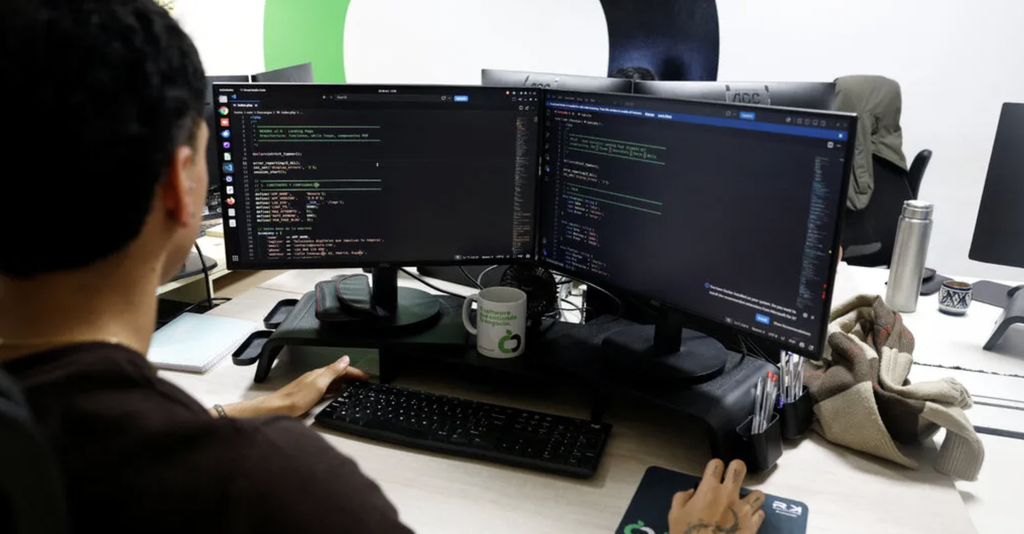
PHP is a scripting language that runs on the web server rather than in your browser. When you open a page on a site built with it, the server runs PHP code to pull content from a database, assemble the page and send finished HTML to you. You never see the PHP itself, which is part of why a flaw in it can stay invisible to the public for years.
The language is old, free and everywhere. It powers the content management systems that many small organizations use to publish without hiring developers, including WordPress, Drupal, Joomla and the shop platform Magento. If your site was built from a template and edited through a dashboard, there is a good chance PHP is working behind the scenes.
The Numbers Behind the Alarm
The survey company W3Techs says PHP runs roughly 75 percent of the websites whose server-side language can be identified. That is a statistic about sites where the language is detectable, not about every site on earth, but it explains why one bug can touch so many organizations at once. Data from the internet scanning firm Censys, as reported, suggests that about 1.5 million of 2.6 million hosts it examined run a PHP version with no fix applied. In simple arithmetic, that is more than half of the hosts in that sample.
Those figures describe exposure, not confirmed damage. A server running an unpatched version is a target, but whether an attacker can reach and abuse it depends on how the site is configured, what sits in front of it and how quickly the owner acts.
Why Old Software Lingers
A fair question is why so many servers run versions that have no fix at all. The usual answer is inertia. Upgrading PHP can break old plugins or custom code, so cautious owners postpone it, and hosting companies keep legacy versions available for customers who cannot move. Some servers were set up years ago by a contractor who has since moved on, and nobody on the current team even knows the version number. Software that works quietly is easy to forget, which is exactly why a flaw in it can matter so much when it surfaces.
Who Is Not Affected
Not every PHP site is in the same position. Automattic said that sites on WordPress.com and Tumblr are safe, because it runs and maintains those platforms itself. That points to a general pattern: services where a company manages the servers for you are usually patched centrally, while self-managed servers depend on whoever holds the keys.
Machines Found the Bugs, and Machines Can Read the Fix
Who Found the Flaws
The security firm Calif said it found the vulnerabilities using a large language model on 1 August and had been working toward a fix since. Wiz, the cloud security company owned by Alphabet, said it found them independently using its own Wiz Atlas AI tool together with Google’s Gemini 4 Argon and OpenAI’s GPT-5.6 Sol. Both firms said they coordinated with each other, with the PHP team and with OpenAI before the public release.
That coordination matters. The responsible way to handle a serious bug is to tell the maintainers privately, give them time to prepare a fix and only then publish details. The reporting describes a process that broadly followed that pattern, even though events moved faster than anyone wanted once the release date arrived.
Defenders can use the same technique. A model that reads code looking for mistakes does not care whether its operator is a security researcher or a criminal, so the advantage goes to whoever acts first and best. The encouraging reading of this episode is that responsible researchers got there first and arranged a coordinated release. The uncomfortable reading is that the next discovery may not be so well managed, and that the people maintaining free, widely used software are now racing against tools that never get tired.
The White House said it learned of the flaw on Friday and framed the discovery as evidence of American leadership in AI. Whether or not you accept that framing, the episode is an early public example of AI systems finding serious, long-hidden bugs in infrastructure that humans had reviewed for years.
Why a Published Fix Starts a Race
A security patch is also a map. When maintainers publish a corrected version, anyone can compare it with the previous version and see exactly which lines changed. A skilled researcher might need days to turn that difference into a working attack. The experts quoted in the coverage say AI tools can shorten that work dramatically, which compresses the window owners have to react.
This is the central tension of modern patching. Defenders cannot fix what they have not been told about, but telling everyone also tells attackers. The faster the reverse-engineering becomes, the less time there is between the announcement and the first wave of attacks, and the more important automatic updates and managed hosting become.
What a Secondary Report Adds
One AI news digest, citing TechCrunch, said that one of the bugs lived in code dating back to PHP 5 and that details leaked a day before the planned fix. Both points come from a secondary source and should be treated as reported rather than confirmed. If they are accurate, they would illustrate how little margin there is once information escapes.
Governments and Institutions Took Sites Offline as a Precaution
When a fix is not yet installed everywhere, the safest short-term move for an organization is to switch the exposed service off. Several public bodies did exactly that, according to the Reuters coverage, and the list was long enough to make headlines on its own.
| Country or organization | What was reported |
| Netherlands | The National Cyber Security Centre, the Port of Rotterdam, the government portal Overheid.nl, the football association KNVB, the websites of the five largest political parties and several hospital sites went offline |
| Denmark | Kombit shut several services, including the national school communication platform |
| Finland | Valtori took government public network services offline |
| France | The Interior Ministry put all of its websites into preventive maintenance |
| Wikipedia’s operator | Took down an unspecified number of systems |
| Internet Archive | Briefly went offline |
Cybersecurity agencies urged site owners to update immediately or, failing that, to take sites offline until they were patched. Japan’s Prime Minister Sanae Takaichi urged site owners on X to check whether their live sites use PHP, a notable step for a head of government.
What the Shutdowns Do and Do Not Mean
A phrase such as preventive maintenance deserves a plain translation. It means an organization has switched a service off, or replaced it with a holding page, while engineers update the servers underneath and test that everything still works. Nothing is necessarily wrong yet; the point is to avoid being the easy target during the window when the bug is public and the patch is not yet everywhere. For a hospital website or a school portal, that choice trades short-term convenience for lower risk.
It is worth keeping the framing straight. These shutdowns were precautions, not proof that each of these organizations had been breached. A planned, temporary outage is a far smaller problem than a compromised citizen database, and organizations that act early often prefer a day of inconvenience to a week of cleanup. The cost is real, though: school messages, hospital information and public services were harder to reach while the work was done.
Shared Hosting Leaves Small Site Owners Most Exposed
Why the Hosting Model Matters
According to the coverage, the risk is highest for small websites on shared hosting, where customers do not manage the servers themselves. That sounds reassuring at first, since the hosting company should be doing the patching. In practice it creates a different problem: owners often have no idea which PHP version they are running, who is responsible for updating it or whether it has been done.
Shared hosting packs many customers onto one machine, and the host controls the PHP version offered. Some hosts update automatically, some let customers pick a version from a control panel, and some leave older versions running for compatibility with old plugins. The menu names vary from provider to provider, so look for words such as PHP version, PHP selector or software settings in your hosting dashboard.
Ask Your Host Directly
The most useful thing a small owner can do is ask directly. A short message to support along the lines of “Has my server been updated to the fixed PHP release announced on 21 October, and which version is my site running?” gets a concrete answer, or at least a ticket number to refer back to. If your host cannot answer clearly, treat that as information about the host.
Keep the reply from your host. If a problem appears later, a written statement of what version was running and when it changed helps both you and any investigator. Hosts that are slow to answer during a news event like this one are telling you something about how they will behave during a real emergency.
Who Is Better Placed
Managed WordPress hosting, platform services and website builders are generally in a better position because the provider handles the stack. Self-managed virtual servers are the opposite case: the owner is the administrator, and nobody else will install the update.
Steps for Site Owners, in Order of Urgency
Find Out Which PHP Version You Run
Start with a fact, not a guess. Ask your host, look in the hosting control panel, or, if you use WordPress, open the admin area and check the Site Health page, which usually lists server details under an information tab. Menu names differ between versions, so search the page for PHP rather than hunting for an exact label.
Install the Fixed Release
One AI news digest citing TechCrunch listed the fixed versions as PHP 8.5.12, 8.4.27, 8.3.36 and 8.2.35. Because that list comes from a secondary source, confirm it against the PHP project’s own announcement before relying on it. If your site runs an older branch that is not mentioned, check the official notes to see whether it still receives fixes; if it does not, the sensible long-term answer is to move to a supported version, not to stay put.
Update the CMS, Plugins and Server Software
Updating PHP alone is not the whole job. Bring the content management system, themes and plugins up to date as well, and let the operating system packages on any self-managed server catch up. Old plugins are a common weak point, and a patched language does not rescue an abandoned add-on.
If you can, test the update on a copy of the site first. Many hosts offer a staging feature that clones your site to a private address, where you can click through the main pages, try a login and place a test order before touching the live version. When time is short, as it is now, a quick check of the home page, the contact form and the checkout is better than no check.
Back up Before and After
Take a full backup of files and the database before changing versions, and store a copy somewhere other than the same server. Updates occasionally break a site that depends on old code. A recent backup turns that from a crisis into an inconvenience, and it is also your recovery plan if something worse is found later.
Add a Web Application Firewall
A web application firewall sits in front of your site and filters suspicious requests. It is not a substitute for patching, but it can buy time while you work through the other steps. Many hosts and content delivery services offer one, and some include it in basic plans.
Turn on Automatic Updates
Where your platform supports it, switch on automatic updates for security releases. The lesson of this episode is that the gap between a fix and an install is the dangerous period, and automation shortens it.
Watch for Signs of Compromise
After updating, look for the things that attackers leave behind: administrator accounts you do not recognize, files that changed when you did not change them, unfamiliar scheduled tasks, odd redirects, or sudden spikes in traffic or outgoing email. If you find any of these, change passwords, contact your host and consider professional incident help.
Visitors Do Not Need to Panic but Should Stay Careful
If you are simply browsing, there is nothing special to do. You cannot patch someone else’s server, and a normal visit to a normal page does not put your device at risk because of a flaw that lives on the server side.
The sensible caution is about logins. If a site you use is showing errors, strange layouts or an unexpected maintenance page, avoid entering passwords or payment details until it looks normal again. Type the address yourself rather than following a link from an unexpected email, since opportunists often pose as the affected service during news events like this one.
Reuse of passwords is the habit worth fixing. If a smaller site you use is later found to have been compromised, a unique password limits the damage to that one account. A password manager makes this easy, and enabling two-factor sign-in on important accounts adds another layer.
Browsers and security tools will not flag a server-side flaw for you, so do not rely on a padlock icon as proof that a site is safe. The padlock shows that your connection is encrypted, not that the server behind it is up to date. Treat it as one signal among several, and trust your instincts when a familiar service suddenly behaves oddly.
Finally, expect more disruption. Some organizations may still be working through their updates, and services that were taken offline may return in stages. Official status pages and public statements are better guides than social media rumors.
A Sensible Order of Operations for This Week
If you manage a website, work from the most certain step to the least. First establish what you run. Then get the fixed version in place, update everything that depends on it, and confirm the site still works. Only after that spend time on extras such as firewalls and monitoring, which are worth having but do not replace the update.
| Step | Who it applies to | Why it comes here |
| Ask the host or check the PHP version | Everyone with a PHP site | You cannot fix what you have not identified |
| Back up files and database | Everyone | Updates can break old code |
| Install the fixed PHP release | Self-managed servers; shared hosting via the host | This is the actual fix |
| Update CMS, plugins and themes | Everyone | Old add-ons remain weak even on a fixed language |
| Add a firewall layer | Sites that cannot update immediately | Buys time, does not replace the patch |
| Review users, files and logs | Everyone, after updating | Catches intrusions that came before the fix |
Anyone who manages sites for other people, such as a freelancer or a small agency, has a longer list. Make an inventory of every client site, note the host and PHP version for each, and work through them in order of how much sensitive data they hold. Online shops and membership sites come first, brochure pages last.
Two judgment calls are worth making deliberately. If you cannot update quickly, taking the site offline temporarily, as several governments did, is a legitimate choice, and a holding page costs less than a breach. And if you rely on a developer or agency, send them a message today rather than waiting for them to notice.
Small businesses should be honest about the limits of their own time. If you run a shop on a hosting plan and do not know what a PHP version is, the most effective step is to put one person in charge of the question, give them a deadline of a few days and have them report back in writing. A short written answer from the host is worth more than any amount of worry. If the answer is vague, move the date for switching providers forward rather than back.
The longer-term lesson is less about this particular bug than about speed. AI tools are shortening the time between a vulnerability being found and being turned into an attack, which means the old habit of updating once a quarter no longer fits. Automatic security updates, a host that patches promptly and a tested backup are cheap compared with a single bad week. Check official sources for the latest guidance, because versions, advisories and affected products can change quickly after a story like this.
Frequently Asked Questions
How Do I Know if My Website Uses PHP?
Ask your host or the person who built the site, or look at the technology listed in your hosting control panel. If it runs WordPress, Drupal, Joomla or Magento, it uses PHP. Site builders that manage everything for you usually handle the update themselves.
How Can I Check Which PHP Version My Site Is Running?
Your hosting dashboard normally shows it under a PHP or software settings menu. WordPress owners can also open the Site Health page in the admin area and look at the server information. Menu names vary, so ask your host if you cannot find it.
Which PHP Versions Contain the Fix?
One AI news digest citing TechCrunch listed 8.5.12, 8.4.27, 8.3.36 and 8.2.35. That comes from a secondary source, so confirm the numbers on the official PHP announcement before you rely on them.
Is WordPress.com Affected by the PHP Flaw?
Automattic said that WordPress.com and Tumblr users are safe. Sites running WordPress on their own hosting are a different matter and depend on the PHP version on that server.
Should I Take My Site Offline Until It Is Patched?
Cybersecurity agencies said to update immediately or take sites offline until they are fixed. If you cannot patch soon, a temporary holding page is a reasonable choice, especially for sites that handle logins or payments.
Do Visitors Need to Change Their Passwords?
Not because of this alone. Be careful with logins on sites showing errors, use unique passwords, and change a password if a service you use says it was affected.