


Imagine an employee working from home. They enter the correct password, use a company laptop, and connect through the company VPN. In a traditional security setup, that might be enough to give them broad access to internal systems.
But what if the employee’s password was stolen?
Or the laptop was infected with malware?
Or an attacker had already found a way inside the corporate network?
This is where Zero Trust Architecture changes the way organizations think about cybersecurity.
Instead of assuming that users or devices are safe because they are “inside” the network, zero trust starts with a much stricter idea:
Never automatically trust anything. Verify every access request.
Zero Trust Architecture, often shortened to ZTA, is a cybersecurity approach designed to protect applications, systems, devices, and data by continuously evaluating who or what is requesting access and whether that access should actually be allowed.
The idea is especially important today because businesses no longer operate from one protected office network. Employees work remotely, applications run in multiple clouds, contractors use their own devices, and sensitive information moves between many different environments.
So, what exactly is Zero Trust Architecture, and how does it work?
Let’s break it down in simple terms.
What Is Zero Trust Architecture?
Zero Trust Architecture is a security model in which no user, device, application, or network connection receives automatic trust simply because of its location or previous access.
In a traditional network, security often works like a castle.
There is a strong wall around the organization. A firewall protects the outside boundary. Once someone gets through the gate and is authenticated, they may have relatively broad access to resources inside.
Zero trust takes a different approach.
Instead of asking:
“Are you already inside the network?”
It asks:
“Should you be allowed to access this specific resource right now?”
According to the National Institute of Standards and Technology (NIST), zero trust removes implicit trust based on factors such as network location or ownership and focuses on protecting individual resources rather than simply protecting network segments.
This makes Zero Trust Architecture particularly useful for organizations with remote workers, cloud services, mobile devices, contractors, and distributed infrastructure.
NIST Zero Trust Architecture guidance
Why Traditional Network Security Is No Longer Enough
Traditional security was designed around a relatively simple assumption: the inside of the network is trusted, while the outside is dangerous.
That worked reasonably well when employees worked in offices, applications lived in company-owned data centers, and most devices connected through controlled networks.
Modern organizations look very different.
A company might have:
- Employees working from home
- Contractors working from different countries
- Software hosted on multiple cloud platforms
- Customer information stored in SaaS applications
- Employees using laptops and smartphones
- APIs connecting different applications
- IoT devices communicating with internal systems
- Developers accessing production environments remotely
The old network perimeter becomes difficult to define.
An attacker who steals one employee’s credentials may appear to be a legitimate user. If the network automatically trusts authenticated users, the attacker could potentially move from one system to another.
This is known as lateral movement.
Zero trust attempts to limit that movement by making access much more granular.
The Core Idea: Never Trust, Always Verify
The phrase “never trust, always verify” is commonly associated with zero trust.
However, it does not mean that an organization literally distrusts every employee all the time.
It means that trust is not automatically granted based on location, network connection, or previous authentication.
Suppose Sarah works in the finance department.
She signs into her company account from her approved laptop.
Zero trust does not simply say:
“Sarah authenticated successfully, so let her access everything.”
Instead, the system may evaluate:
- Who is Sarah?
- Is her identity verified?
- Is multifactor authentication enabled?
- Is her device managed by the company?
- Is the device healthy?
- Where is the request coming from?
- What application is she trying to access?
- Does she normally access this resource?
- What data is she requesting?
- What level of permission does she need?
- Is the request unusual?
- Has the device or account shown suspicious behavior?
Only after considering these factors does the system make an access decision.
How Does Zero Trust Architecture Work?

At a basic level, Zero Trust Architecture works through a continuous access decision process.
Imagine an employee wants to open a sensitive financial application.
The process might look like this:
User requests access -> identity is verified -> device is evaluated -> policies are checked -> risk is assessed -> access is granted or denied -> activity is monitored
The important part is that authentication is not the end of the process.
It is one part of the process.
Let’s look at each stage.
Step 1: Identify the User
The first question is simple:
“Who is requesting access?”
The organization needs reliable identity information.
This usually involves an identity provider or identity and access management system.
Usernames and passwords alone are increasingly insufficient because passwords can be stolen through phishing, malware, credential leaks, or social engineering.
That is why modern zero trust environments commonly use stronger identity controls such as:
- Multifactor authentication
- Single sign-on
- Passwordless authentication
- Hardware security keys
- Biometric authentication
- Role-based access controls
- Identity lifecycle management
The goal is not simply to identify the user once. It is to maintain confidence that the person accessing the resource is actually the authorized person.
Step 2: Verify the Device
Knowing who the user is isn’t enough.
The device matters too.
Imagine an employee has valid credentials but is trying to access sensitive company data from an unmanaged computer infected with malware.
Should access automatically be granted?
A zero trust system can evaluate the device’s security condition before allowing access.
It might check whether:
- The operating system is up to date
- Security software is active
- The device is company-managed
- Disk encryption is enabled
- The device meets security policies
- The device has suspicious software
- The device has recently demonstrated risky behavior
This is important because a legitimate user can still be using a compromised device.
Step 3: Check What the User Wants to Access
Zero trust is not simply about determining whether someone is legitimate.
It also asks whether the requested resource is appropriate.
For example, an employee might legitimately need access to an internal document system but have no business reason to access payroll databases.
Instead of giving the employee broad network access, zero trust can restrict access to only the resources required for their job.
This is closely connected to the principle of least privilege.
Step 4: Apply Access Policies
The organization defines rules that determine who can access what and under which conditions.
For example:
A marketing employee may access the company’s analytics platform.
A finance employee may access accounting software.
A developer may access a development server.
Only a small group of authorized administrators may access production infrastructure.
The policy can become more detailed than simple job roles.
For example:
“Allow this user to access the application only from an approved device, during an authenticated session, after multifactor authentication, and with read-only permissions.”
This level of control is one of the major advantages of zero trust.
Step 5: Evaluate Risk
Modern zero trust systems can use multiple signals to determine whether an access request appears normal.
Consider two login attempts.
The first comes from an employee’s usual laptop and normal location at 9:00 a.m.
The second occurs minutes later from a completely different location using an unfamiliar device.
Both requests might contain the correct password.
However, these different elements don’t all carry the same level of danger.
A zero trust system can respond differently.
The first request might proceed normally.
The second could trigger additional verification, restrict access, or block the session.
This is why zero trust is more than simple authentication. It is a risk-aware access control strategy.
Step 6: Monitor Activity After Access
One of the biggest misunderstandings about zero trust is that verification happens only when someone logs in.
In a mature zero trust environment, security decisions can continue throughout a session.
For example, suppose a user is accessing a cloud application normally.
Later, the account suddenly starts downloading thousands of sensitive files.
That behavior may be inconsistent with the user’s normal activity.
Security systems can detect the change and respond by:
- Requesting additional authentication
- Restricting access
- Ending the session
- Alerting security teams
- Increasing monitoring
- Reducing permissions
This continuous evaluation helps reduce the damage caused by stolen credentials or compromised devices.
What are the key parts that make up a Zero Trust security system?
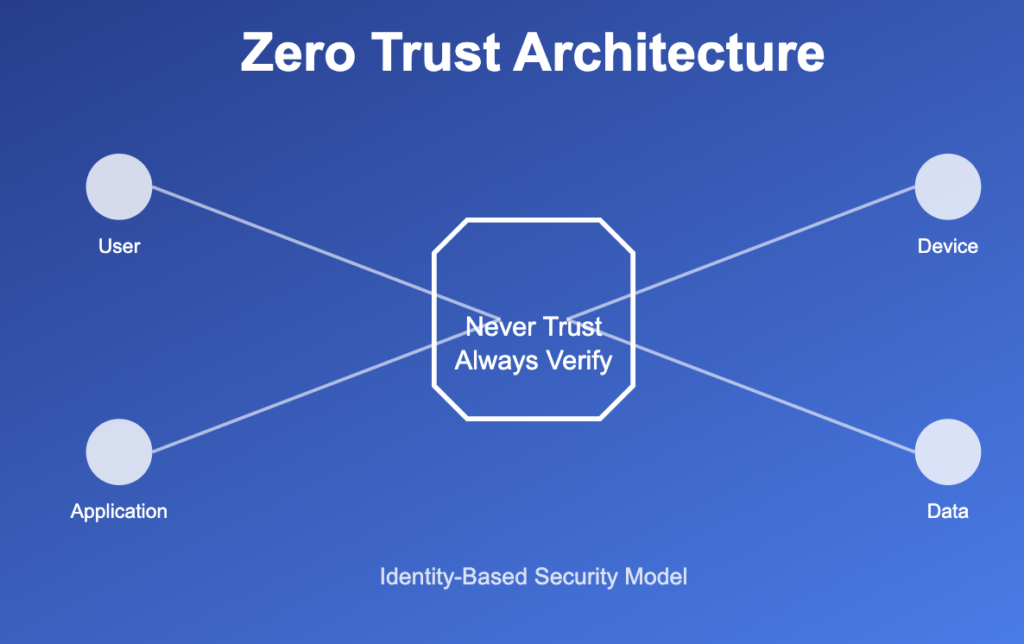
Zero Trust Architecture is not a single product.
It is an approach that combines multiple security technologies and policies.
Common components include the following.
Identity and Access Management
Identity and access management, or IAM, handles user identities and permissions.
It helps organizations answer questions such as:
- Who is this user?
- What resources can they access?
- What role do they have?
- Has their account been disabled?
- Should they receive additional authentication?
Strong identity management is one of the foundations of zero trust.
Multifactor Authentication
Multifactor authentication requires more than one form of verification.
For example:
Something you know: a password.
Something you have: a security key or phone.
Something you are: a biometric factor.
If an attacker steals a password, MFA can make it significantly harder for them to use that password by itself.
Endpoint Security
Endpoint security protects devices such as laptops, smartphones, servers, and workstations.
In a zero trust environment, the security condition of the endpoint can influence whether access is allowed.
Policy Engine
The policy engine evaluates access requests.
It considers available information and determines whether the request should be allowed, denied, or subjected to additional controls.
Policy Enforcement Point
The policy enforcement point is responsible for actually enforcing the decision.
In simple terms, the policy engine decides.
The enforcement point makes it happen.
Network Segmentation and Microsegmentation
Traditional networks often place many systems inside the same broad network area.
Microsegmentation divides environments into smaller security zones.
For example, a compromised employee workstation should not automatically be able to communicate with sensitive database servers.
Microsegmentation can reduce the attacker’s ability to move laterally.
Security Monitoring and Analytics
Zero trust depends heavily on visibility.
Companies must keep an eye on who is accessing what, from which devices, and how applications and network activity are being used.
Security information and event management platforms, endpoint detection tools, cloud security systems, and other monitoring technologies can contribute to this visibility.
A Simple Real-World Example
Consider a company with 500 employees.
Its customer database contains sensitive information.
In a traditional setup, employees connect to a VPN. Once inside the corporate network, certain internal applications become accessible.
Now suppose an attacker steals an employee’s VPN credentials.
The attacker connects successfully.
The network sees an authenticated user.
The attacker then begins exploring internal systems.
This is where zero trust changes the situation.
The attacker may still pass the first authentication step if the credentials are valid, but additional controls can restrict what happens next.
The system might recognize that:
- The device is unfamiliar
- MFA was not completed correctly
- The login behavior is unusual
- The user does not normally access the database
- The requested resource is outside the user’s role
The request can then be blocked or challenged.
Even if the attacker manages to compromise one account, granular access controls can make it much harder to reach unrelated systems.
That is the real value of zero trust.
It does not promise that attackers can never get inside.
It aims to make compromise less useful.
Zero Trust vs. Traditional Security
The distinction becomes more obvious when you compare the two security strategies side by side.
| Traditional Security | Zero Trust Architecture |
| Strong focus on network perimeter | Strong focus on resources and identities |
| Internal users may receive broader trust | Access is explicitly evaluated |
| Network location matters heavily | Network location is not sufficient for trust |
| Authentication may be treated as the main gate | Authentication is part of continuous evaluation |
| Broad network access can occur | Access is more granular |
| Lateral movement can be easier | Segmentation and least privilege limit movement |
This does not mean traditional security tools such as firewalls, VPNs, and antivirus software suddenly become useless.
They still have important roles.
Zero trust changes how those tools fit together.
Is Zero Trust the Same as a VPN?
No.
A VPN creates an encrypted connection between a user and a network or service.
Zero trust is a broader security strategy.
A VPN may give an authenticated user access to a network segment.
A zero trust approach focuses more closely on whether that user, device, application, and request should have access to a particular resource.
Some organizations still use VPN technology alongside zero trust.
Others use zero trust network access, or ZTNA, to provide more application-specific access without placing users broadly onto the corporate network.
So, VPN and zero trust are not interchangeable terms.
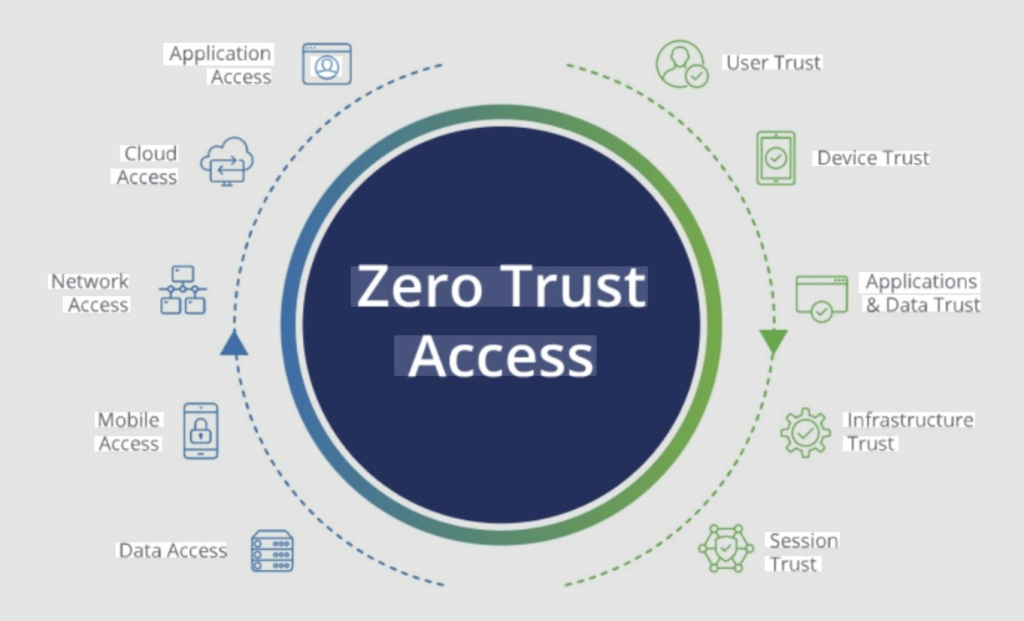
What Are the Benefits of Zero Trust Architecture?
Reduced Attack Surface
Zero trust can reduce the number of resources available to each user or device.
If someone compromises one account, there may be fewer systems available for exploitation.
Better Protection for Remote Workers
Remote employees no longer need to be treated as unusual exceptions.
Zero trust is designed around the idea that users and devices may connect from many different environments.
Stronger Least-Privilege Access
Users receive only the permissions they actually need.
This reduces the consequences of excessive permissions.
Better Visibility
Because access decisions rely on identity, device, application, and activity information, organizations have stronger incentives to improve monitoring and visibility.
Reduced Lateral Movement
If an attacker compromises one system, segmentation and granular policies can make it harder to move across the environment.
Improved Cloud Security
Cloud environments often span multiple providers, accounts, applications, and regions.
Zero trust provides a security model that does not depend entirely on a physical corporate network perimeter.
What Are the Challenges of Zero Trust?
Zero trust is powerful, but it is not magic.
Implementing it poorly can create new problems.
It Can Be Complex
Large organizations may have thousands of users, applications, devices, APIs, and services.
Creating accurate access policies for all of them can be difficult.
Legacy Systems Can Be a Problem
Legacy software might not work with current identity protocols or allow detailed access restrictions.
Replacing or adapting these systems can take time.
Poorly Designed Policies Can Hurt Productivity
If security policies are too restrictive, employees may constantly encounter blocked access and authentication prompts.
Eventually, people may start looking for workarounds.
That creates another security problem.
Good zero trust is not about making everything difficult.
It is about applying the right level of security to the right situation.
It Requires Good Identity Data
Zero trust depends heavily on knowing who users are, what devices they use, what applications they need, and what permissions they should have.
If identity information is outdated, access decisions can also become inaccurate.
Costs Can Increase
Organizations may need investments in IAM, endpoint management, MFA, monitoring, segmentation, policy management, and security analytics.
The cost should therefore be considered as part of a broader risk-reduction strategy rather than assuming that “zero trust” itself is a single inexpensive product.
Common Zero Trust Mistakes
Mistake 1: Buying a Product and Calling It Zero Trust
There is no magic “zero trust appliance.”
Zero trust is an architectural approach involving policies, identities, devices, applications, data, and monitoring.
Buying one security product does not automatically create a zero trust environment.
Mistake 2: Starting With Everything at Once
Trying to redesign an entire organization overnight can create unnecessary disruption.
A better approach is usually to start with important resources and gradually expand.
Mistake 3: Ignoring User Experience
If employees face constant authentication problems, they will become frustrated.
Security controls need to be strong without making legitimate work unnecessarily painful.
Mistake 4: Forgetting Service Accounts
Zero trust is not only about human employees.
Applications, APIs, automated processes, workloads, and service accounts also need identities and appropriate permissions.
Mistake 5: Thinking of Zero Trust as something you set up once and forget
Security environments change constantly.
Employees change roles. Devices are replaced. Applications move to the cloud. New threats appear.
Zero trust therefore needs ongoing policy reviews and monitoring.
How to Start Implementing Zero Trust
Organizations do not need to transform everything at once.
A practical starting process looks like this.
1. Identify Critical Resources
Start by determining what really needs protection.
This might include:
- Customer databases
- Financial systems
- Source code
- Production servers
- Employee records
- Intellectual property
- Administrative systems
2. Map Users, Devices, Applications, and Data
Understand how people and systems interact.
Who accesses the resource?
From which devices?
Through which applications?
What information moves between systems?
This mapping exposes unnecessary access and hidden dependencies.
3. Strengthen Identity Controls
Implement strong authentication and improve identity management.
MFA is usually an important early step.
4. Apply Least Privilege
Review existing permissions.
Ask a simple question:
“If someone stole this login today, what parts of your system could they potentially reach?”
If the answer is far more than the employee needs, permissions should probably be reduced.
5. Improve Device Security
Make sure managed devices meet security requirements before they receive access to sensitive resources.
6. Segment Critical Systems
Use network segmentation or microsegmentation to reduce unnecessary communication between systems.
7. Monitor and Improve
Track access attempts, unusual behavior, policy violations, and security events.
Then use that information to improve policies.
NIST’s implementation guidance emphasizes that zero trust can support secure access across on-premises and multiple cloud environments and provides practical implementation examples.
Where Is Zero Trust Used?
Zero Trust Architecture can be useful in many environments.
Remote Work
Employees can access specific applications without receiving broad access to the corporate network.
Cloud Computing
Organizations can protect cloud applications and resources even when those resources are outside traditional network boundaries.
Healthcare
Healthcare organizations can use granular access controls to protect sensitive systems and information.
Financial Services
Banks and financial companies can use identity-based policies and monitoring to protect high-value systems.
Software Development
Development teams can restrict access to source code, development environments, testing systems, and production infrastructure based on role and context.
Third-Party Access
Contractors and partners can receive limited access to specific resources without being treated like full-time employees.
A Simple Way to Think About Zero Trust
If cybersecurity feels complicated, remember this example.
Imagine an office building.
Traditional security might work like this:
You show your employee badge at the front door.
Once inside, many rooms are available because you’re considered an employee.
Zero trust works more like this:
You show your identity at the entrance.
You prove that your device is acceptable.
You request access to a particular room.
The system checks whether your job requires access.
You may need additional verification for sensitive rooms.
Your activity can continue to be monitored.
And if your behavior suddenly becomes suspicious, access can be restricted.
That is the basic idea.
The system does not assume that being inside automatically means being trusted.
Zero Trust Security Framework
Least privilege is one of the most important ideas behind zero trust.
It means giving a user, device, or application only the permissions necessary to perform its intended task.
Suppose a content writer needs access to a publishing platform.
They may need permission to create and edit articles.
They probably do not need administrator access to the company’s database.
Giving them administrator privileges creates unnecessary risk.
The same logic applies to applications.
If one application only needs to read customer records, it should not automatically receive permission to delete them.
Small permission differences can make a major difference during a security incident.
Does Zero Trust Eliminate Cyberattacks?
No.
This is an important distinction.
Zero trust does not make an organization impossible to hack.
It does not eliminate phishing.
It does not guarantee that credentials will never be stolen.
It does not replace endpoint security, encryption, backups, vulnerability management, or employee security awareness.
Instead, zero trust aims to reduce the opportunities an attacker has after an initial compromise.
Think of it as limiting the blast radius.
If a hacker obtains one password or access point, the aim is to limit what it can unlock, ideally just one door or none at all, so they can’t access the whole system.
Zero Trust in 2026: Why It Matters More Than Ever
Modern infrastructure is increasingly distributed.
Employees can work from almost anywhere. Applications can run across multiple clouds. Organizations rely on APIs and SaaS platforms. AI-powered applications and automated services are becoming part of business workflows.
NIST’s more recent zero trust guidance also addresses cloud-native environments and emphasizes identity-based controls for users, applications, and services.
That makes the old idea of a single, clearly defined network perimeter less practical.
Zero trust fits this environment because its central question is not:
“Where are you connected from?”
It is:
“What are you trying to access, who or what is requesting it, and should that request be allowed?”
That question remains useful whether the resource sits in a company data center, a public cloud, a SaaS application, or a distributed application environment.
Internal Linking Opportunities
If this article is part of a broader cybersecurity blog, natural internal links could point to related topics such as:
- “What Is XDR in Cybersecurity and How Does It Work?” – link when discussing security monitoring and threat detection.
- “How to Secure Cloud Infrastructure” – link in the cloud security section.
- “What Is Multi-Factor Authentication?” – link when explaining identity verification.
- “Cybersecurity Best Practices for Small Businesses” – link in the implementation section.
- “What Is Microsegmentation in Network Security?” – link when discussing lateral movement and segmentation.
These links work best when placed naturally within relevant paragraphs rather than grouped together as a list of unrelated links.
Conclusion
Zero Trust Architecture is not about distrusting employees. It is about removing unnecessary assumptions from cybersecurity.
A successful login does not automatically mean a user should access every system. Being inside a corporate network does not automatically make a device safe. And owning a valid credential does not prove that every request made with that credential is legitimate.
Zero trust replaces those assumptions with continuous verification, least-privilege access, stronger identity controls, device evaluation, segmentation, and ongoing monitoring.
The most important idea is simple:
Access should be earned for each resource, not inherited from network location.
For organizations operating across cloud platforms, remote work environments, SaaS applications, mobile devices, and distributed infrastructure, that mindset can provide a much stronger foundation for modern cybersecurity.
Frequently Asked Questions
1. What is Zero Trust Architecture in simple words?
Zero Trust Architecture is a security approach that does not automatically trust users, devices, or applications. Every access request is evaluated based on identity, device security, permissions, risk, and other relevant factors.
2. What are the three core ideas behind Zero Trust security?
The core ideas are to verify explicitly, use least-privilege access, and assume that a compromise is possible. Together, these principles help reduce unauthorized access and limit the damage caused by compromised accounts or devices.
3. Is zero trust better than a VPN?
They solve different problems. A VPN provides a secure connection, while zero trust focuses on granular access to specific resources. An organization can use VPN technology as part of a broader zero trust strategy, but a VPN by itself does not create zero trust.
4. Does zero trust mean employees are not trusted?
Not exactly. Zero trust means the system does not automatically grant trust based on someone’s location or network connection. Access decisions are based on verified identity, permissions, device condition, context, and other security signals.
5. What technologies are used in zero trust?
Common technologies include identity and access management, multifactor authentication, endpoint security, network segmentation, microsegmentation, security monitoring, policy engines, encryption, and zero trust network access solutions.
6. Can small businesses use Zero Trust Architecture?
Yes. Small businesses do not need to implement an enterprise-scale architecture immediately. They can begin with strong MFA, better identity management, least-privilege permissions, managed devices, secure cloud applications, and effective monitoring.
7. What is the biggest benefit of zero trust?
One of the biggest benefits is limiting the damage caused by compromised accounts or devices. Instead of allowing broad access after one successful login, zero trust can restrict users and systems to only the resources they actually need.