

Google shipped a Chrome zero-day update on November 9, 2026, and the safe answer for most people is to confirm they are on version 157 and relaunch the browser.
In this article, we will explore the exact steps for desktop and Android, a table of the fixed version numbers, and a short list of things to ignore, such as fake update pop-ups. We will also cover what is still unknown about the flaw. This is general security information only.
Update Steps in Order
The sequence below works for most desktop and Android setups. Menu wording can differ slightly between versions, so if something looks different, check Google’s official Chrome help pages.
Desktop: Windows, Mac and Linux
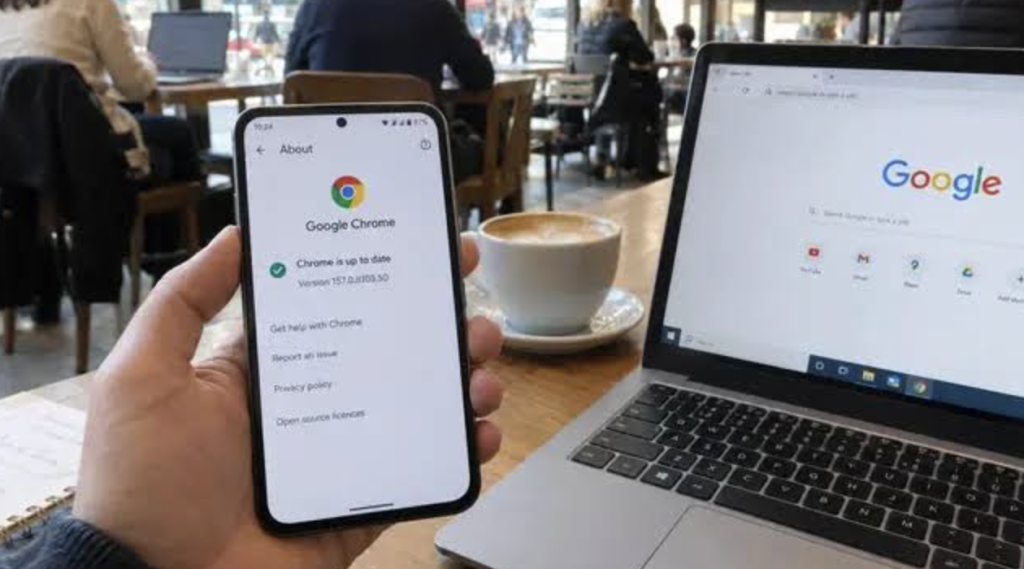
First, open Chrome and go to the Settings or Help menu. Second, choose About Google Chrome. Third, wait while the browser checks for the update and downloads it; this page also shows your current version number. Fourth, click Relaunch if Chrome offers the button. Fifth, reopen the About page and read the version number again to confirm it starts with 157.
The relaunch matters more than people expect. A downloaded update generally does not protect you until the browser restarts, so a tab that has been open for days can be running old code. If you keep many tabs open, Chrome usually restores them after the restart.
Android
On Android, Chrome is updated through Google Play. Open the Play Store, search for Chrome, and tap Update if the button appears. Then open Chrome, go to Settings, choose About Chrome and compare the version with the table below. Google said rollout takes place over “the coming days and weeks”, so the button may not show up on day one. If it is missing, check again the next day rather than looking for a download elsewhere.
Repeat on Every Device
Do each step on every computer and phone where you use Chrome. A laptop that is patched does nothing for a tablet that is not. If a device is managed by your employer or school, follow your IT team’s instructions, because they may control when updates arrive.
Chrome Zero-Day Update Version Table
The table lists the fixed builds named in the reporting. Your number should match or be newer than the one for your system.
| Platform | Fixed version | Notes |
| Windows | 157.0.8103.50 or 157.0.8103.51 | Either build carries the fix |
| Mac | 157.0.8103.50 or 157.0.8103.51 | Either build carries the fix |
| Linux | 157.0.8103.50 | Desktop release |
| Android | 157.0.8103.50 | Update through Google Play |
If your number is lower, you are not yet on the fixed release. If it is higher, you are almost certainly fine, since later builds normally include earlier fixes, although the official Chrome release notes are the place to confirm that.
Confirmed Facts About the Flaw
According to Malware bytes, which reported on the update on November 10, the desktop release contains nine security fixes, and one of them addresses a zero-day. The flaw is tracked as CVE-2026-125350 and is rated high severity. It is a use-after-free bug in Chrome’s XML component.
A use-after-free is a bug where a program keeps using memory after it has been released. The usual result is a crash, but sometimes an attacker can turn it into a way to run their own code.
Google said an unnamed third party reported the problem on November 6, and that it is aware an exploit for CVE-2026-125350 exists in the wild. That is why this counts as a zero-day.
Unknowns in the Public Reporting
Google has not named who is behind the exploit, who was targeted, how it is delivered, or what it does. Anyone claiming those details is guessing. The reporting also does not say whether ordinary users have been hit. Hong Kong’s HKCERT rates the risk “Extremely High”, but that is one organization’s rating and not a count of victims.
Edge, Brave, Opera and other Chromium-based browsers receive fixes on their own schedules, and the reporting does not say whether they share the flaw. As general guidance, check each one for updates and read its vendor’s announcements.
This article cannot tell you whether any device was targeted, and no simple home check can either. If you are worried about a work device, tell your IT or security team.
Ignore These Messages
Updates for Chrome come from inside Chrome, through its About page, or from Google Play on Android. That makes some messages easy to dismiss.
Fake Update Pop-Ups
A web page that says your browser is out of date and offers a download is not Chrome updating itself. Close the tab and never run files a website hands you as a browser update.
Scare Emails and Texts
Messages that mention the zero-day, claim you are infected and tell you to click a link to install the fix should be deleted. Go to the About page yourself instead.
Calls and Paid Cleanups
A caller who mentions this vulnerability and wants remote access to your device is running a scam. A free browser update never needs payment.
Conclusion
The practical task is short: open About Google Chrome, let it update, relaunch, and confirm the version begins with 157. Repeat on Android through Google Play and on any other Chrome device you own. The public facts are thin, with one reported exploit and no named attackers or targets, so acting on the fix beats waiting for more detail. For work devices or anything unusual, ask your IT provider or check the official vendor pages.
Frequently Asked Questions
How Do I Check My Chrome Version on a Computer?
Open the Chrome menu, go to Help, and choose About Google Chrome. The version number is shown on that page, and the browser starts checking for updates as soon as you open it.
Which Chrome Version Fixes CVE-2026-125350?
For desktop, the fixed builds are 157.0.8103.50 or .51 on Windows and Mac, and 157.0.8103.50 on Linux. Android is also listed at 157.0.8103.50.
Should I Restart Chrome After It Updates?
Yes. Click Relaunch when prompted, because the new version generally does not take effect until the browser restarts.
Can I Tell Whether My Computer Was Attacked Through This Bug?
No simple check can show that, and this article does not offer one. Google has not published what the exploit does or who was targeted. If you have concerns about a work device, contact your IT or security team.
Is Microsoft Edge or Brave Safe if Chrome Is Updated?
Not automatically. Other Chromium-based browsers get fixes on their own timelines, so check each one for updates and read its vendor’s announcements.