

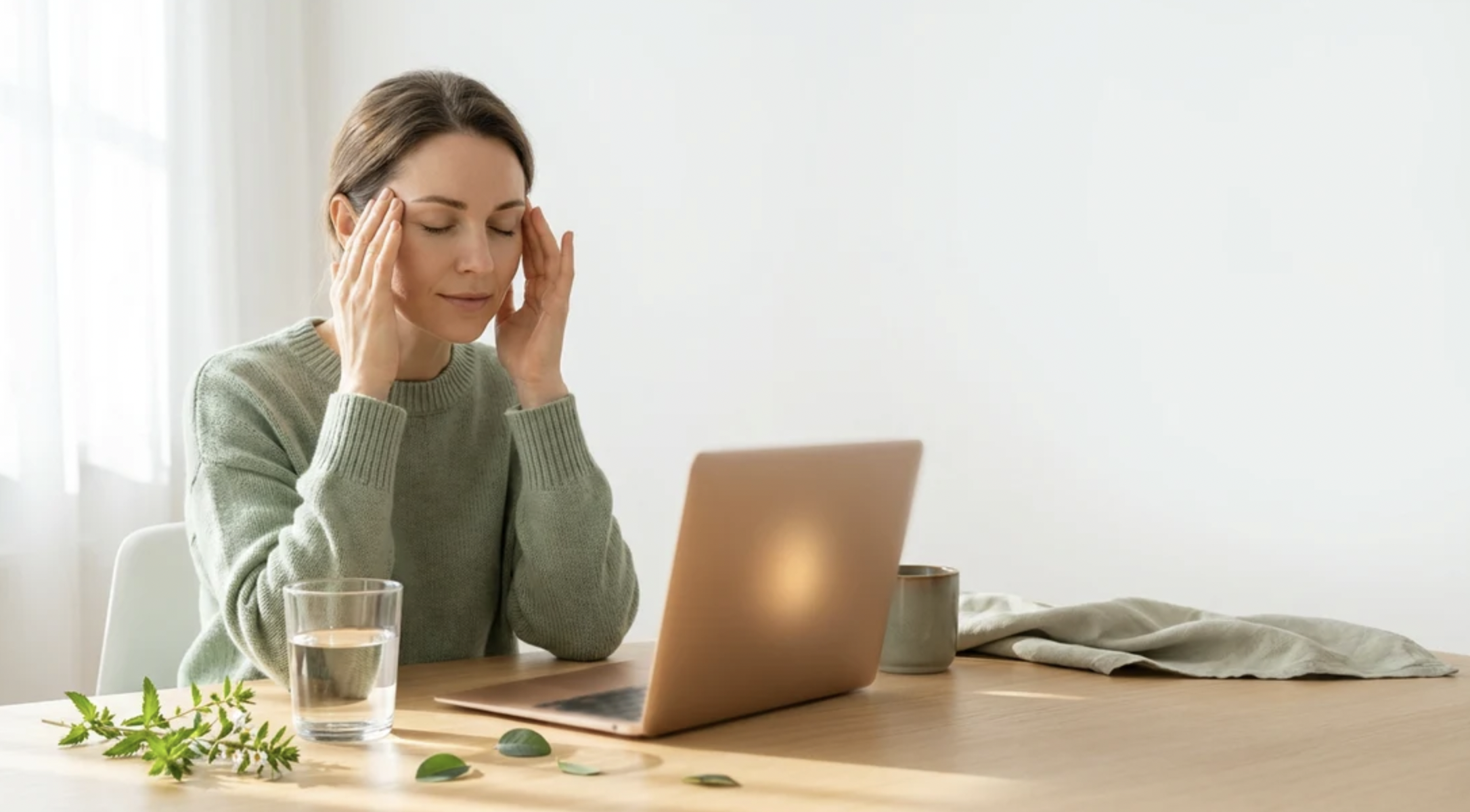
Most of us now spend more waking hours facing a screen than facing any person. By evening the result is often tired, dry, aching eyes and a dull headache behind the brow, a bundle of symptoms usually called digital eye strain. It is rarely dangerous, but it is unpleasant and mostly fixable.
In this article we will explore why screens tire the eyes, how to arrange your desk and display, which habits and eyewear help, and what to change first.
How Screens Tire the Eyes
Eye strain from screens is not one problem but a small cluster of them that tend to arrive together. The first is focusing effort. Your eyes keep the lens in a steady, close-up setting for as long as you read at arm’s length, and the small muscles that hold it there get tired in the same way a hand does after hours of gripping a pen. The second is dryness. When people concentrate on a display they blink less often and many blinks are only partial, so the tear film thins and evaporates between blinks.
The third part is the screen itself. Text on a display is made of tiny lit points, so the edges of letters are less crisp than ink on paper. Your eyes make constant micro-adjustments to keep them sharp, and you rarely notice the effort. Glare from windows and ceiling lights adds to the work, because a bright reflection competes with the image you are trying to read.
The fourth part is posture, which is easy to overlook because the symptoms show up far from the eyes. If the screen is too low, too high or off to one side, the neck and shoulders compensate. Plenty of people who think they have an eye problem find that the tension headache and the stiff upper back are a single issue wearing two costumes.
Common symptoms
The usual list includes burning or gritty eyes, watering, blurred vision that clears after a rest, difficulty refocusing from screen to distance, sensitivity to light, headaches and neck or shoulder pain. Symptoms that build over the day and ease overnight or on a weekend away from screens point toward strain rather than a disease.
Signs that something else is going on
Strain should not cause sudden loss of vision, flashes of light, a curtain or shadow across part of your sight, double vision, severe eye pain, or a red eye with discharge. Any of those needs prompt medical attention from an eye doctor or an emergency service, not a new desk lamp. Strain symptoms that persist for weeks despite sensible changes also deserve an eye examination, since uncorrected vision, dry eye disease and early age-related focusing changes are all common and easy to treat once identified.
Setting Up the Desk and Screen
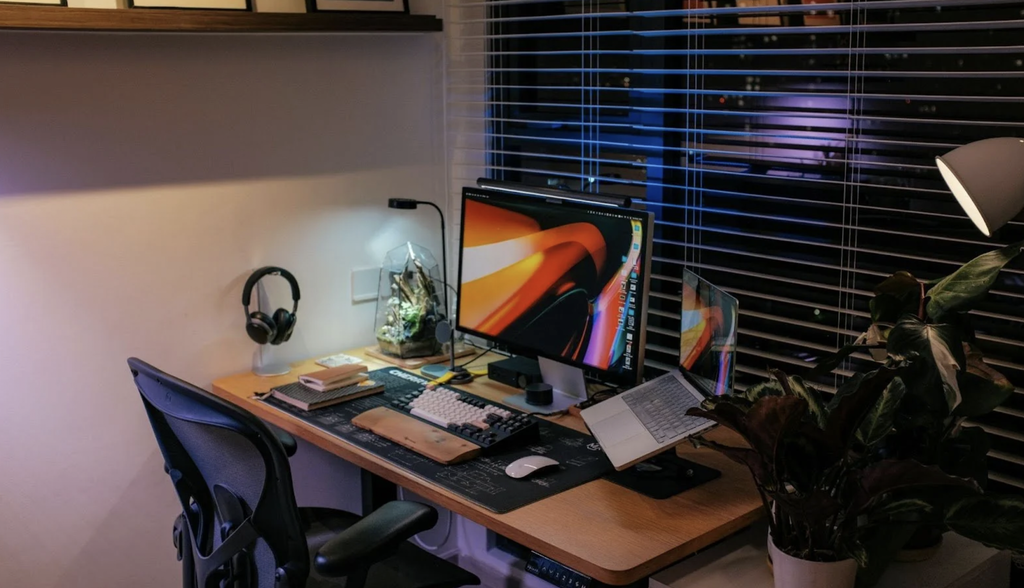
Ergonomic advice is boring until the day it works, and a few adjustments cost nothing. Start with the screen and work outward, because the screen sets everything else.
Distance and height
A commonly recommended distance for a desktop monitor is about an arm’s length, roughly 50 to 70 centimetres or 20 to 28 inches, depending on the size of the screen and how good your eyes are. The top edge of the display should sit at or slightly below eye level, so that your gaze tilts gently downward.
A lower gaze also exposes less of the eye surface to air, which helps with dryness. If you wear progressive lenses you may need the screen lower still, so that you do not tip your head back to find the right part of the lens.
A simple test: sit back in your normal working position, close your eyes, then open them. Where your eyes land first is where your head and gaze naturally settle. If that spot is above the middle of the screen, lower the monitor or raise your chair.
Laptops and the trouble with them
A laptop forces a bad compromise, because the screen and keyboard are attached. Used on a lap or flat on a table, the screen is far too low and the neck bends forward. For anything longer than a quick task, raise the laptop on a stand or a stack of books and use a separate keyboard and mouse. It is the single most effective change for people who work from a kitchen table.
Lighting and glare
Aim for a room that is roughly as bright as the screen, not dramatically darker or brighter. Working in a dim room with a glowing display makes the contrast hard on the eyes, and working with a bright window directly behind or in front of the screen creates glare or a silhouette effect. Position the screen so windows are to the side, and use blinds to soften direct sun. Overhead lights that reflect in the glass can be dealt with by tilting the screen slightly or shifting the desk. If a lamp is needed for paper work, point it at the paper and not at the screen.
Two monitors and paper documents
People who copy between a document and a screen often twist their neck all day toward a second display or a pile of papers. Put the screen you look at most directly in front of you and the secondary one just beside it, angled inward, so the head turns only a little. If you work from paper, use a document holder placed between the keyboard and the monitor at the same distance as the screen, so your eyes do not have to refocus every time they move between the two. It sounds minor, yet it removes hundreds of small refocusing jumps from a working day.
Chair and keyboard
Feet flat on the floor or on a footrest, knees at roughly a right angle, lower back supported, and forearms level with the keyboard keep the body stable so the head does not creep forward. Do not treat this as a separate subject from eye comfort. A body that is well supported lets the eyes do their job without the neck pulling the whole system out of line.
Display Settings That Make a Difference
Default settings are tuned for showrooms, not for eight-hour days. A few minutes in the display menu is worth more than most accessories.
Brightness and contrast
Match brightness to the room. A trick that works in most offices is to hold a white sheet of paper next to the screen. If the screen looks like a lamp compared with the paper, it is too bright; if it looks dull and grey, raise it. Many devices have an automatic brightness option that follows ambient light, and it is a reasonable default for most people. Dark text on a light background is generally easier to read for long stretches because the pupil narrows a little in brighter conditions, which gives a slightly sharper image. Dark mode can feel more comfortable in a dim room, but if you find yourself squinting at thin light letters on black, switch back.
Text size
Many people squint at small type for years without realising they could simply enlarge it. As a rule of thumb, you should be able to read the text comfortably from your normal seating position without leaning in. Increase the text size in the browser and the operating system before you buy anything, and zoom pages freely. Wider line spacing and a plain, uncluttered typeface also reduce the effort of reading.
Colour temperature and night modes
Night modes shift the display to warmer tones in the evening. Many people find the warmer look pleasant, and some evidence suggests that bright light in the hours before bed can delay sleepiness, so a dimmer and warmer screen at night is a reasonable habit. Treat it as a comfort and sleep tool, not a cure for eye strain. It will not repair dry eyes or a posture problem.
Screen cleanliness and matte finishes
Fingerprints, dust and smears scatter light and lower contrast, which makes the eyes work harder without anyone noticing. Wipe the screen with a soft, dry microfibre cloth, using only products the maker approves. A matte finish on a monitor or a removable anti-glare film scatters reflections better than a glossy surface does, which matters most in bright rooms.
Refresh rate and flicker
Some people are sensitive to flicker, especially at low brightness on certain panel types. If you get headaches that ease when you raise the brightness, or when you change to a different monitor, flicker may be involved. Raising the brightness and lowering room contrast sometimes helps, and a smooth, higher refresh rate can feel easier on the eyes for scrolling and video. If you suspect sensitivity, try a different screen for a week before spending money.
Blinking, Breaks and the Twenty-Twenty-Twenty Habit
Of all the habits in this subject, breaks are the best known and the least followed. The most widely repeated guideline is the 20-20-20 rule: every 20 minutes, look at something at least 20 feet away, about six metres, for at least 20 seconds. The idea is to let the focusing muscles relax and to give yourself a chance to blink normally. Eye care organisations often cite it, and while it is not a magic number, it is easy to remember and works as a prompt.
Nobody keeps a stopwatch beside the keyboard, so tie the break to something that already happens. Look out of the window while a file loads. Stand when you answer the phone. Walk to refill your water glass every hour. A timer on your phone works for the first week and then gets ignored, but a habit anchored to an existing action tends to survive.
Blinking deserves its own attention. Many people blink noticeably less while reading a screen, and partial blinks do not spread tears across the whole surface. A deliberate, slow, complete blink every so often resets the tear film. Try closing your eyes fully for a count of two, three or four times in a row, and see if the grittiness eases. It looks odd at first and becomes automatic.
Walking is the easiest reset because it combines distance viewing, movement and a change of scene. A person who takes five short walks a day gets far more benefit than one who sits through a dedicated lunchtime stretch session and then slumps for the next four hours. Also remember that gaming, video watching and scrolling count as screen time, so the breaks apply in the evening as well as at work.
Longer breaks matter too. A short walk or a few minutes away from every screen after an hour or so of intense work helps both the eyes and the back. If your job is the kind where you cannot leave, shifting from the monitor to a paper document or a window view changes the focusing demand even if you stay in your seat.
Dry air makes everything worse. Air conditioning, heating and fans blowing at the face all dry the eye surface. Redirect vents away from your face, keep a bit of humidity in winter if your home is very dry, and drink enough water through the day. Preservative-free artificial tears can help occasionally, and a pharmacist can advise on options, but if you need them every day for more than a couple of weeks, see an eye professional rather than treating yourself indefinitely.
Glasses, Contact Lenses and Blue-Light Claims
Plenty of what people call screen strain is really an unfixed vision problem. A small amount of uncorrected long-sightedness or astigmatism, or a prescription that is a few years old, makes the eyes work harder at close range. If you have never had an eye test, or it has been more than a couple of years, start there. Eye examination intervals differ by country, age and health, so ask your optometrist how often you should return.
Computer glasses
People over about 40 begin to lose near focusing flexibility, a normal change called presbyopia. Standard reading glasses are set for a distance of around 35 to 40 centimetres, which is too close for most monitors. Ask an optometrist about lenses made for the intermediate distance of a screen, often sold as occupational, office or computer lenses, or as a progressive design with a wider intermediate zone. Tell the optometrist how far your screen is and how long you spend at it, because it changes the prescription they choose.
Contact lenses
Contact lens wearers are often more prone to dryness during screen work, since the lens needs a stable tear film. Taking a break from lenses at home, using glasses for the evening, or discussing lens materials and rewetting drops with your eye care professional can help. Never sleep in lenses not designed for it, and follow the cleaning routine strictly, because infections from poorly cared-for lenses are serious.
Blue-light glasses
Marketing for blue-light filtering lenses is everywhere, and the claim is usually that they prevent eye damage and strain. Major eye care bodies have said that the amount of blue light from ordinary screens is not known to damage the eye and that there is not enough good evidence that filtering lenses reduce digital eye strain. The sensible reading is this: they are not harmful, they will not rescue a bad setup, and the money is better spent on an eye test and a proper stand. If you like the tint and it helps you feel more comfortable, that is your choice, but do not expect it to do the work of a break.
Reading glasses worn at the wrong distance
A very common mistake is using ordinary reading glasses at a monitor. They are made to focus at book distance, so you end up either leaning toward the screen or tilting the head back to find a sharper zone. If your glasses force an awkward posture, that is a sign they are the wrong tool for the job rather than a flaw in your neck.
Anti-glare coatings
An anti-reflective coating on spectacle lenses reduces reflections from lights, and many people find night driving and screen use more comfortable with it. That is a mechanical benefit, easy to verify, and has nothing to do with blue light.
Phones, Tablets and Younger Users
Small screens and the posture they cause
Small screens bring their own habits. People hold phones closer than they would hold a book, often for long uninterrupted spells, and tend to blink even less when absorbed in a feed or a video. A phone held near the face also pulls the head forward and down, which is the posture behind many a stiff neck.
Hold the device a little farther away and raise it so that you look slightly down at it without hunching your shoulders. Enlarge the text, and use the reading mode in your browser or reading app for long articles. Taking a look at something distant at the end of every chapter or video is a good use of the 20-20-20 idea.
Reading in bed
Late evening is the other issue. Reading from a bright screen in a dark bedroom makes the contrast sharper, and the content itself, whether work email or a lively video, keeps the mind alert. Dim the screen, use a warmer setting, and leave the phone out of reach for the last half hour before sleep if you can. If sleep trouble continues for weeks, that is a matter for a doctor rather than a screen setting.
Reading in a moving vehicle is a different problem, because the shaking makes focusing harder and may cause nausea for people prone to motion sickness. A larger font and an audio option help there.
Children and teenagers
Children are not simply small adults at a screen. Their eyes are still developing, and they tend to hold devices close and rarely notice discomfort or complain about it. Parents often learn about a problem when a child squints, rubs their eyes, tilts the head, sits very near the television, or loses interest in reading.
Two pieces of widely published guidance matter most. First, time outdoors in daylight is commonly recommended for children because research has linked more outdoor time with a lower risk of developing short-sightedness. The practical reading is that screens should not replace outdoor play. Second, children should have routine eye examinations, including a vision check at school or with a pediatric eye professional, since many sight problems show no obvious sign. Recommended screen time limits for children differ by age and by country, so check the guidance published by your national paediatric or health body rather than relying on a single number.
For school-age children doing homework on a device, the same rules apply as for adults: adequate light, a screen at a comfortable distance, regular breaks, and a posture they can hold. A tablet leaning on a table with the child reading from an angle is almost always worse than a laptop on a desk. Make the break easy by building it into routines, such as a stretch between subjects. Teenagers who study late with a bright phone in bed are the group most worth talking to about sleep, because tired eyes and tired minds feed each other.
Where to Start This Week
When symptoms appear, it helps to match the complaint to its likely cause and a first, cheap thing to try. The table below is a starting point, not a diagnosis.
| Complaint | Likely contributor | First thing to try | See a professional if |
| Burning, gritty eyes | Reduced blinking, dry air | Complete blinks, vents away from face, regular breaks | It lasts for weeks despite changes |
| Headache after screen work | Glare, posture, uncorrected vision | Lower screen, reduce glare, book an eye test | Headaches are severe, sudden or worsening |
| Blurred vision that clears with rest | Focusing fatigue | 20-20-20 breaks, larger text | Blur persists after rest |
| Neck and shoulder pain | Screen too low or high, laptop use | Raise the screen, add a keyboard | Pain spreads, tingles or does not ease |
| Trouble reading small print | Presbyopia or old prescription | Enlarge text, eye examination | Sudden change in one eye |
| Light sensitivity | Brightness too high, flicker | Lower brightness, adjust room light | Pain or redness comes with it |
A sensible first week
Do not try to apply everything at once. Habits that depend on willpower fade within days, while changes to the environment keep working without any effort from you. So begin with the furniture and the settings, then add the habits.
On day one, move the screen to arm’s length and lower it until the top edge is at or just below eye level. Turn off the worst glare by shifting the screen away from the window or closing the blinds. On day two, set brightness to match the room, increase the text size by a notch or two, and turn on the warmer evening mode. These cost nothing and are quickly noticed.
By the middle of the week, pick one break trigger, such as looking out of the window whenever you finish an email, and one blinking reminder, perhaps a note taped to the monitor edge. Keep it for seven days and judge the effect by whether your eyes feel better at five in the afternoon than they used to.
If you wear glasses or have not had an eye test recently, book one. Tell the examiner about your screen distance and daily hours. If you are over 40 and struggling with the screen, ask about a lens made for that distance. Leave buying new accessories until the free changes have had a fair trial, because most people find the cheap steps are enough.
Finally, keep an honest eye on the warning signs. Strain is annoying but not dangerous, and any sudden change, pain, flashes, double vision or persistent redness is a reason to seek medical advice the same day. A comfortable screen day comes from a good setup, small habits and a regular check-up.
Frequently Asked Questions
Does the 20-20-20 rule really work?
It is a widely used prompt that gives the focusing muscles and the tear film a chance to recover. The exact numbers are less important than taking regular breaks and looking at something far away. Many people find it helpful because it is simple to remember.
Are blue-light glasses worth buying?
Major eye care organisations say there is not enough good evidence that they reduce eye strain or protect the eyes from screens. If you buy a pair, treat them as optional and do not skip breaks or an eye test.
Can screens damage my eyes permanently?
Ordinary screen use is not known to cause permanent damage in adults. It can cause temporary strain, dryness and discomfort. Sudden vision changes or pain should always be checked by an eye doctor.
Is dark mode better for my eyes?
It depends on the lighting. Dark mode may feel more comfortable in a dim room, while dark text on a light background is often easier to read in a bright room. Try both and keep the one that leaves you less tired.
How far should a monitor be from my face?
About an arm’s length is commonly recommended, with the top of the screen at or slightly below eye level. If you have to lean in to read, increase the text size before moving closer.
Why do my eyes feel dry when I work on a computer?
You blink less often while concentrating, and air conditioning or heating dries the surface of the eye. Complete blinks, regular breaks and vents pointed away from your face usually help. Ask an eye professional if dryness lasts for weeks.