


Your team does not need more meetings to get projects under control. It needs a better way to know what happens next. A missed deadline can start with one overlooked message. A delayed task can hold up an entire project. Meanwhile, important files can disappear inside crowded inboxes and endless chat conversations. That is exactly where project management software becomes valuable. The right platform brings tasks, deadlines, files, communication, and responsibilities into one organized workspace. Better yet, small teams can access many useful project management tools without paying expensive monthly fees.
However, choosing the right free tool can feel surprisingly difficult. Every platform offers different features, limitations, workflows, and learning curves. Some tools focus on visual task boards. Others provide databases, documents, automation, or software development workflows.
Therefore, the best free project management tool depends on how your team actually works. This guide explores eight strong options for small teams. You will also discover their strengths, limitations, ideal use cases, and setup tips.
What Makes a Great Free Project Management Tool?
Before choosing software, identify the problems slowing your team down. A good platform should solve those problems without creating additional administrative work. At minimum, look for task assignments, deadlines, project organization, comments, notifications, and file sharing. However, other features can become important as your team grows.
For example, recurring tasks can reduce repetitive setup work. Automation can move tasks between stages without constant manual updates. Calendar views can make deadlines easier to understand. Search features can also save time when projects contain hundreds of tasks. Mobile access matters when team members frequently work away from their desks.
You should also examine the free plan carefully. Some platforms limit users, storage, automation, integrations, or advanced views. Consequently, a tool that looks perfect initially may become restrictive later.
1. Trello: The Simple Visual Choice
Trello remains a popular option for teams that prefer visual project management. Its workspace revolves around boards, lists, and cards. For instance, a content team might create four stages.
Ideas -> Writing -> Editing -> Published
Each card can represent one piece of work. You can then add descriptions, checklists, labels, deadlines, comments, and attachments. This approach makes project progress easy to understand at a glance.
Why Trello Works for Small Teams
Trello has a relatively gentle learning curve. Therefore, new users can usually understand its basic workflow quickly. It works particularly well for editorial calendars, marketing campaigns, creative projects, and simple workflows. Teams can also customize boards around their existing processes.
Where Trello May Fall Short
Complex projects may eventually require more detailed planning capabilities. Teams with extensive dependencies or advanced reporting may need another solution.
2. Asana: Stronger Structure for Growing Workloads
Asana focuses heavily on organized tasks, responsibilities, and project planning. It can help teams break large projects into smaller, manageable actions. For example, a website launch could include separate tasks for writing, design, development, testing, and publishing. Each task can have an owner and deadline. This structure creates greater accountability across the team.
Why Choose Asana?
Asana suits teams that need more structure than a basic Kanban board. It can help managers understand project progress without requesting constant status updates. Moreover, organized task relationships can make larger workflows easier to follow.
Potential Drawback
Asana includes many concepts and features. Therefore, beginners may need some time before they feel completely comfortable. Teams should begin with simple projects instead of configuring everything immediately.
3. ClickUp: A Flexible All-in-One Workspace
ClickUp aims to bring multiple productivity functions into one platform. It supports project tasks, documents, goals, collaboration, and different project views. That broad approach can appeal to teams wanting fewer separate applications.
Why Small Teams Consider ClickUp
ClickUp can support marketing teams, agencies, software projects, operations teams, and client work. You can create workflows that match different types of projects. Furthermore, teams can choose views based on their preferred working style. Some people prefer lists, while others work better with boards or calendars.
Potential Drawback
Its extensive feature collection can feel overwhelming. A small team might activate unnecessary features and create an unnecessarily complicated workspace. Start with essential functions before expanding your setup.
4. Notion: Best for Projects and Knowledge Management
Notion takes a different approach to project management. It combines documents, databases, notes, task tracking, and team information. Therefore, it can become a central workspace for both projects and knowledge.
A content team could create an editorial calendar alongside writing guidelines. It could also store research notes, article briefs, publishing checklists, and team documentation.
Why Notion Stands Out
Notion offers considerable flexibility. Teams can design databases around their specific requirements. For example, a marketing database could track campaigns, owners, deadlines, channels, and campaign status. This makes Notion especially useful for teams that need documentation alongside project tracking.
Potential Drawback
Flexibility also creates responsibility. You must design a system that remains simple enough for everyone to use.
5. Jira: A Practical Choice for Software Teams
Jira is widely associated with software development and issue tracking. It helps technical teams organize bugs, features, improvements, and development tasks. A development workflow might move through several stages.
Backlog -> Selected -> Development -> Testing -> Done
This gives developers and managers clearer visibility into ongoing work.
Why Developers May Prefer Jira
Jira supports workflows designed around software development processes. Teams can organize technical work into manageable issues. They can also track problems from discovery through completion.
Potential Drawback
Jira may feel excessive for teams managing simple administrative or creative projects. If you only need basic task lists, another platform may feel easier.
6. Microsoft Planner: Convenient for Microsoft Users
Microsoft Planner can be useful for teams already working within Microsoft’s ecosystem. Instead of introducing an unfamiliar environment, teams can organize tasks alongside their existing Microsoft services.
Why Planner Makes Sense
Microsoft-focused businesses may benefit from keeping their workflows within one broader ecosystem. That can reduce the number of separate applications employees must learn. It may also simplify collaboration for organizations already using Microsoft products.
Potential Drawback
Its usefulness depends on your existing Microsoft subscription and available features. Therefore, always verify current plan details before choosing Planner.
7. Airtable: Ideal for Structured Project Information
Airtable combines spreadsheet-style organization with database capabilities. That makes it particularly useful when projects involve substantial amounts of structured information. A marketing team could track clients, campaigns, content, deadlines, creators, statuses, and performance data.
Why Airtable Is Different
Traditional project management tools often focus mainly on tasks. Airtable can handle tasks alongside structured records. Therefore, it can work well for teams managing content libraries, campaign databases, inventories, or client information.
Potential Drawback
Airtable can be excessive for straightforward task management. If your team only needs assignments and deadlines, simpler software may work better.
8. Basecamp: Centralize Projects and Communication
Basecamp focuses on keeping project communication and work organized together. A project can contain tasks, discussions, files, schedules, and other relevant information. This approach can reduce scattered conversations across multiple platforms.
Why Small Teams May Like Basecamp
Basecamp can provide a straightforward project environment. Team members can find important project information without searching through unrelated conversations. It may also help teams establish clearer communication habits.
Potential Drawback
Free availability and plan limitations can change over time. Therefore, check the provider’s current offering before relying on its free features.
How These Free Project Management Tools Differ
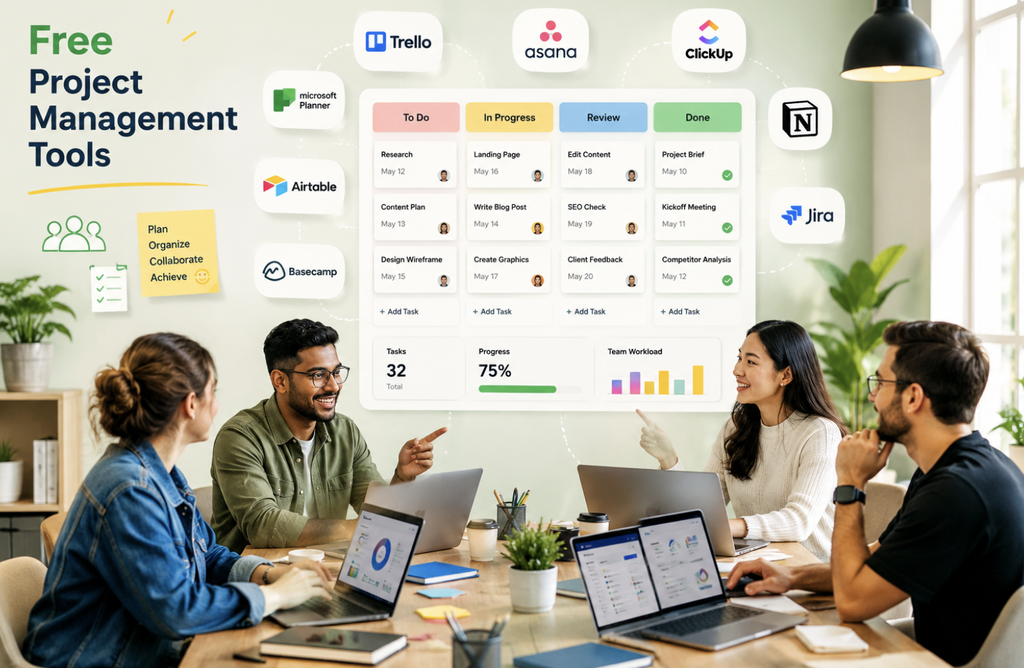
Each platform approaches project management differently. Trello is particularly strong for simple visual workflows and Kanban-style boards. Asana works well for structured projects, assignments, and deadlines. ClickUp offers a broad collection of productivity and project features. Notion combines project management with documentation and knowledge organization.
Jira is especially suitable for software development and issue tracking. Microsoft Planner fits naturally into Microsoft-focused environments.
Airtable works well for projects involving structured databases and detailed information. Basecamp focuses on centralizing projects, communication, files, and tasks. Therefore, the best choice depends more on your workflow than the number of features.
Important Features to Consider Before Choosing
Free project management software should support your team’s daily habits. First, examine task management capabilities. Your team should be able to create, assign, prioritize, and update tasks easily. Next, consider deadline management. Calendar views and reminders can help prevent important work from slipping through the cracks. Also, examine collaboration features. Comments, mentions, file sharing, and notifications can reduce unnecessary communication gaps.
Integrations deserve attention as well. Your team may already depend on email, calendars, cloud storage, communication platforms, or development tools. A useful integration can prevent repetitive data entry.
Finally, consider scalability. A free tool might work perfectly for five people today. However, your requirements may change as projects and responsibilities increase.
How to Choose the Right Tool for Your Small Team
Start by identifying your biggest operational problem. If your team struggles with visual task tracking, Trello may be a natural starting point. If responsibilities and deadlines cause confusion, Asana may offer stronger structure. Teams wanting many productivity features can explore ClickUp.
Those combining documentation with projects may prefer Notion. Software development teams should consider Jira. Microsoft-heavy organizations may find Planner convenient. Data-focused teams can explore Airtable.
Teams wanting centralized project communication may prefer Basecamp. Most importantly, avoid choosing software simply because it has the longest feature list. A complicated system can create more work than it removes.
How to Set Up Your Project Management Workspace
Choosing software represents only the first step. Your team also needs clear rules for using it. Start by defining a simple project workflow.
For example, use Backlog -> To Do -> In Progress -> Review -> Complete.
Then, assign one clear owner to every important task. This prevents confusion about responsibility. Next, create realistic deadlines. Avoid assigning arbitrary dates that your team cannot realistically meet. Task descriptions should also explain specific outcomes.
Instead of writing “Website,” write “Review homepage copy before Friday.”
The second example gives the responsible person a clear objective. You should also establish a consistent status-update routine. A project dashboard becomes unreliable when team members forget to update completed work. Finally, avoid creating unnecessary labels, categories, views, and automation rules. Build complexity only when your team actually needs it.
How Free Project Management Software Improves Team Productivity
Project management software does not automatically make people productive. Instead, it creates visibility, structure, and accountability. Team members can quickly see completed tasks and unfinished work. Managers can identify bottlenecks without holding constant meetings. Employees can also understand which tasks require immediate attention.
Furthermore, centralized information reduces time spent searching through emails and chat messages. That creates a more predictable working environment. The biggest benefit often comes from reducing uncertainty. Everyone knows what needs attention, who owns it, and when it should finish.
Common Mistakes Small Teams Should Avoid
Even excellent software can fail when teams use it poorly. One common mistake involves using too many platforms. When tasks, documents, messages, and deadlines live everywhere, information becomes fragmented. Another problem involves creating vague tasks. Unclear instructions often produce unnecessary questions and delays. Teams should also avoid ignoring deadlines.
An outdated deadline provides little value to anyone. Similarly, inaccurate status labels can make project dashboards misleading. Finally, avoid turning project management into another full-time job. The system should support productivity rather than consume it.
Should You Start With a Free Plan?
For many small teams, starting free is a sensible approach. It allows everyone to test the workflow before making a financial commitment. During the trial period, monitor how often your team uses the platform.
Also, check whether members understand the workflow without constant assistance. Pay attention to storage, integrations, automation, reporting, and user limitations. If the free plan handles your daily requirements, there may be no reason to upgrade.
However, consider a paid plan when genuine limitations begin affecting productivity. The goal is not to pay for more features. The goal is to invest when additional capabilities create measurable value.
Conclusion
The best free project management tools can help small teams organize work without adding major software costs. However, no platform is perfect for every workflow. Trello offers simplicity, while Asana provides structured task management. ClickUp delivers extensive functionality, while Notion connects projects with documentation. Jira suits development workflows, while Microsoft Planner works naturally for Microsoft users.
Airtable stands out for structured information, and Basecamp focuses on centralized collaboration. Before choosing, think about your team’s actual challenges.
Then select the platform that solves those challenges with the least unnecessary complexity. Remember, the most powerful system is not always the best system. A simple workspace that everyone updates consistently can outperform an advanced platform nobody understands.
Frequently Asked Questions
1. What is the best free project management tool for small teams?
Trello is excellent for simplicity, while Asana, Notion, and ClickUp suit more structured workflows.
2. Are free project management tools enough for small businesses?
Yes, many small businesses can manage everyday projects effectively using free plans.
3. Is Trello easier than Asana?
Generally, Trello offers a simpler visual interface, while Asana provides more structured project management.
4. Can Notion replace project management software?
Yes, Notion can manage projects while also handling documentation, databases, notes, and team knowledge.
5. Is ClickUp good for small teams?
Yes, ClickUp can work well for teams wanting extensive project and productivity features.
6. Which project management tool is best for developers?
Jira is a strong option for software teams managing bugs, features, issues, and development workflows.
7. Can Microsoft Planner manage small business projects?
Yes, Planner can work effectively for teams already using Microsoft’s broader productivity ecosystem.
8. Is Airtable suitable for project management?
Yes, Airtable works particularly well when projects involve structured records and detailed information.
9. Should small teams use multiple project management tools?
Usually, one primary platform keeps workflows simpler and reduces fragmented information.
10. When should a team upgrade from a free plan?
Upgrade when free-plan limitations begin creating meaningful problems for productivity, collaboration, or project delivery.
11. What should a project management tool include?
Essential features include task assignments, deadlines, collaboration, notifications, organization, and useful project views.
12. How can teams make project management software successful?
Create simple workflows, assign clear ownership, maintain accurate statuses, and ensure everyone uses the system consistently.